
Plans and account
Compare public plans
Compare the available plans using the cards and the detailed feature table.
Requirement: Available publicly without signing in, under “Plans”.
Step by step
-

Open skymail.de and click “Plans” in the header. Open skymail.de and click “Plans” in the header.
-
Compare the four visible plan cards, “Ad-supported”, “Ad-supported + SMTP Plus”, “Ad-free”, and “Gold”, by storage, aliases, and other features.
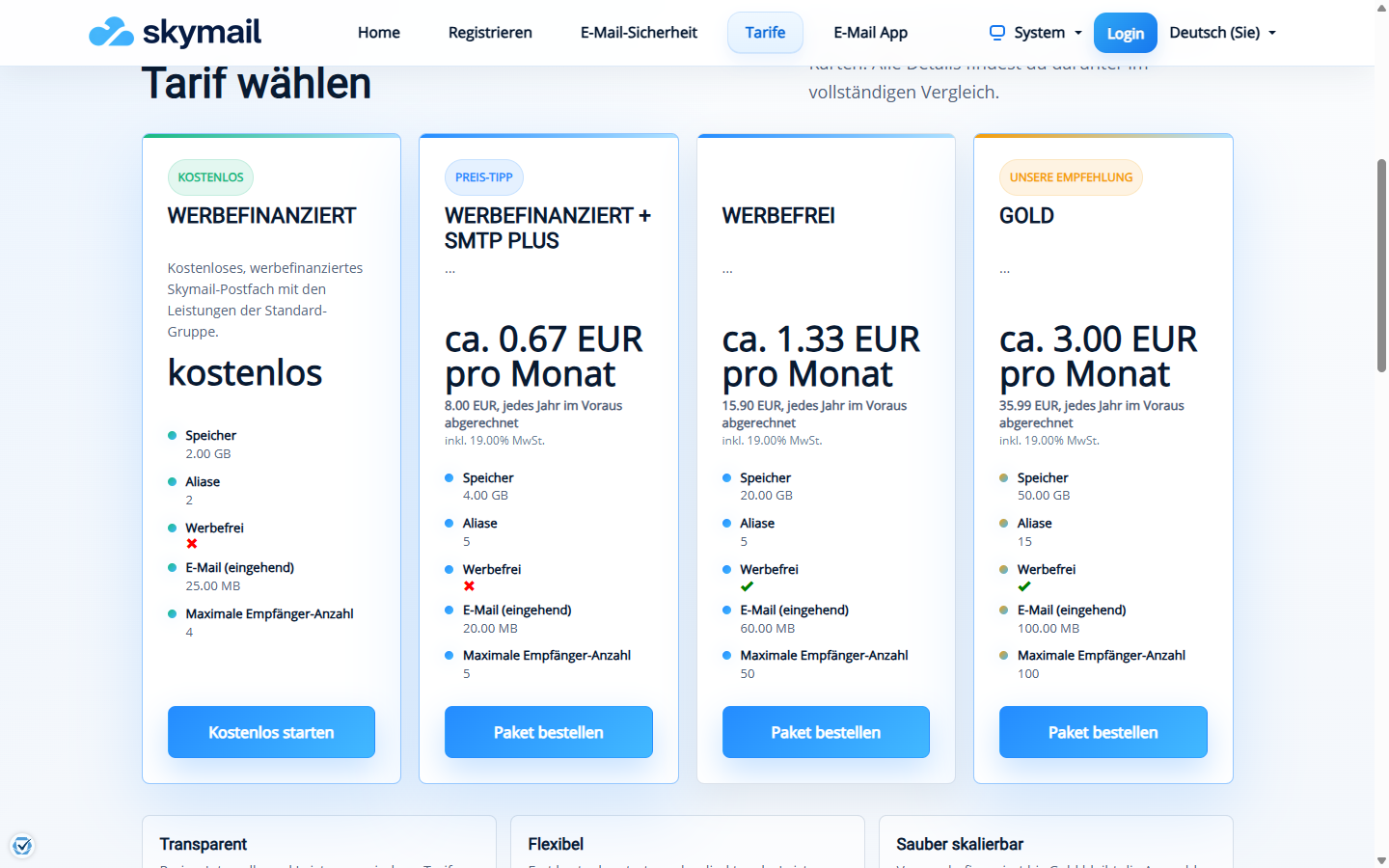
The public plan cards show the key differences and the billing period. -
Scroll to “Compare all details” and check the feature matrix for the features you need.
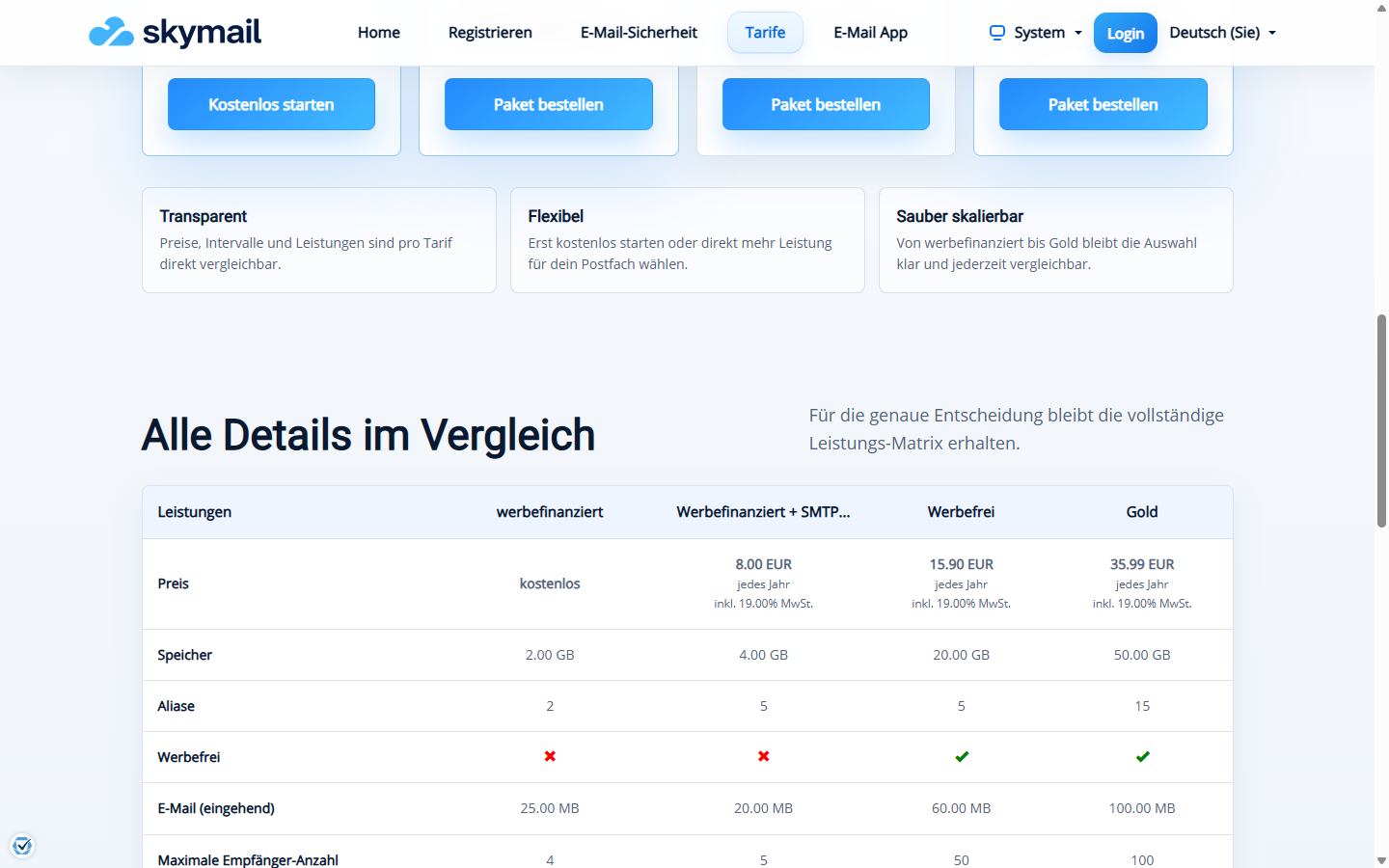
The feature matrix below the plan cards shows prices and individual features side by side. -
Read the price and billing period directly on the current card or in the table. Before placing an order, check the details at the relevant checkout step.
What you will see afterwards
You can see which plan lists the features that matter to you. A booking only takes place in a separate checkout step; comparing plans does not place an order.
Common problems
- Offers and terms can change; the amount shown at the current checkout step applies to an order.
- A feature shown publicly must first be enabled for an existing account.
- For questions about a specific order, check your account status or contact support directly.