
Webdisk and files
Download several Webdisk files as a ZIP archive
Save selected files together in a ZIP archive.
Requirement: After signing in with Webdisk access; at least two suitable files of your own in the current folder.
Step by step
-
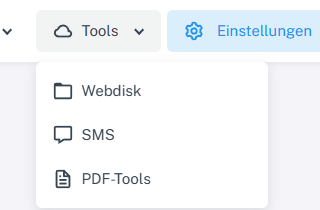
Click “Tools” at the top and choose “Webdisk” from the menu. Click “Tools” → “Webdisk” at the top and open the folder containing the files you want on the left.
-
In list view, select several file rows by holding down the Ctrl key while clicking the second file.
-
Check that the details panel shows “2 items”, then choose “Download” from the actions for the selection.
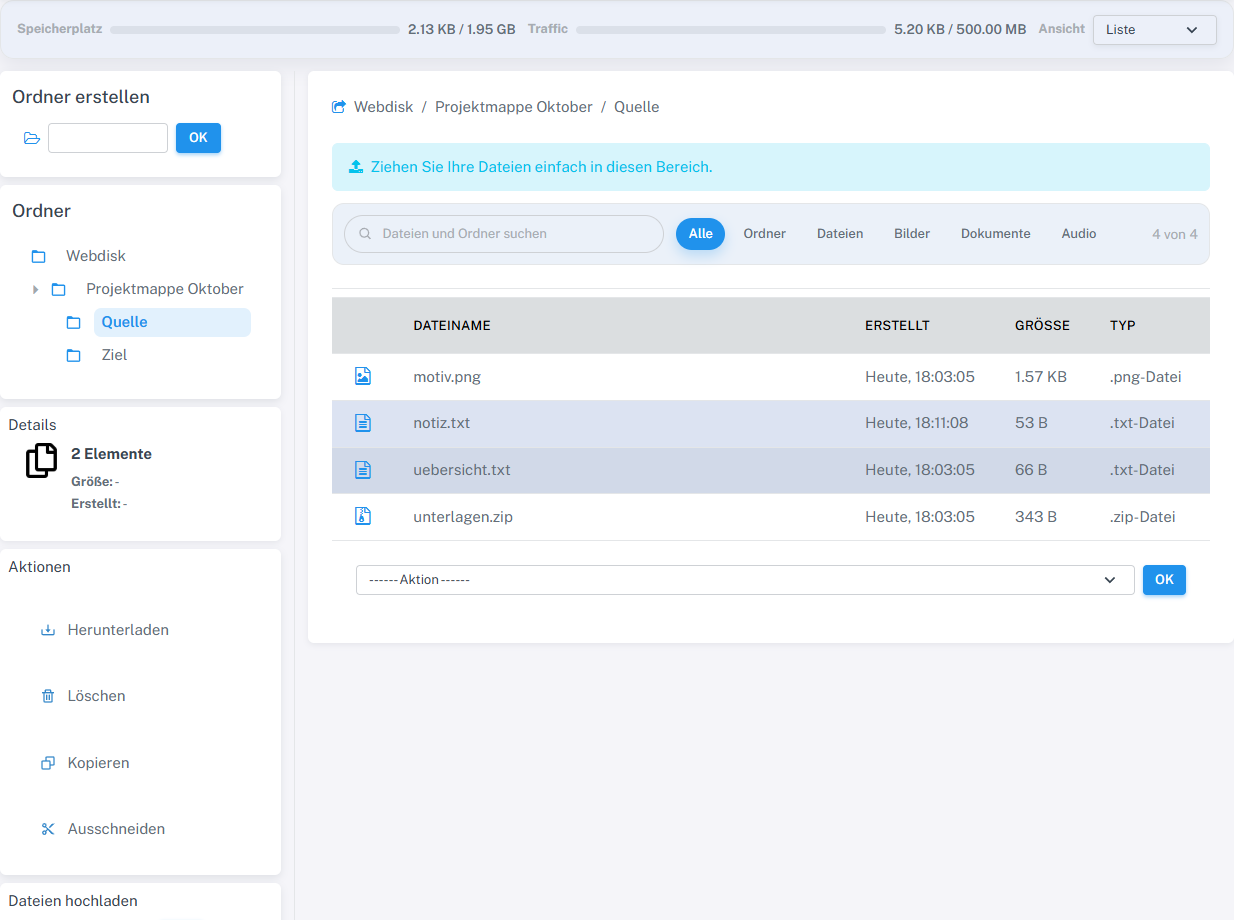
The selection showed 2 items. The downloaded ZIP contained exactly notiz.txt and uebersicht.txt. -
Save the ZIP archive and check that it contains exactly the files you selected.
What you will see afterwards
The browser offers a ZIP archive containing the selected files for saving. Open it after downloading and check that it contains all the files you wanted.
Common problems
- The action cannot be used meaningfully without any selected items.
- The download may fail if the files are large or the data transfer limit has been reached.