
PDF tools
Edit PDF metadata
Set a PDF file’s title, author and keywords.
Requirement: Publicly accessible without signing in at /en/pdf-tools and the respective tool page
Open the relevant PDF tool
Step by step
-
On the skymail.de home page, scroll to the footer. Under “Support”, click “PDF Tools” (see screenshot). In the PDF overview, select “Edit metadata”.
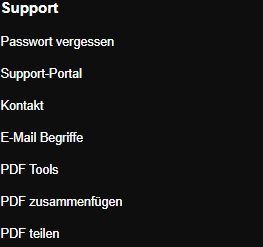
Scroll to the bottom of the SkyMail home page and click “PDF Tools” under “Support” in the footer. -
Select a valid PDF file up to 20 MB.
-
Fill “Title”, “Author” and “Keywords” with the values you want to set.
-
Click “Save”, download the new PDF and inspect its document properties.

The PDF containing the entered document properties is available to download.
What you will see afterwards
Non-empty entries appear in the new PDF’s document properties. Leaving a field empty does not explicitly delete existing metadata.
Common problems
- An invalid PDF or a file larger than 20 MB is rejected.
- No result file is provided if the metadata cannot be processed.
- Check metadata for confidential details before sharing a file.