
More tools
Search the chat list
Narrow down conversations using the search field in the chat overview.
Requirement: A signed-in account with chat enabled and existing conversations.
Step by step
-
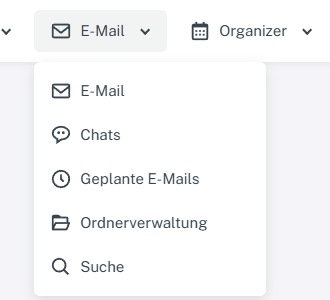
Click “Email” at the top; open “Chats” or “Folder management” in the menu. Click “Email” in the header and select “Chats” in the menu.
-
Enter a name or term in the search field above the chat list. The list shows only matching conversations.

Search narrows the chat list to matching conversations. -
Select a suitable conversation from the results. Clear the search text to see all conversations again.
What you will see afterwards
The chat list is filtered as you search; a term that does not match shows no results. Clearing it displays all conversations again.
Common problems
- Contact search in the “Start chat” dialog is a different search field.