
Security and encryption
Select a security email for a used backup code
Configure the notification for use of a one-time backup code.
Requirement: After signing in, go to Settings → Security center.
Step by step
-
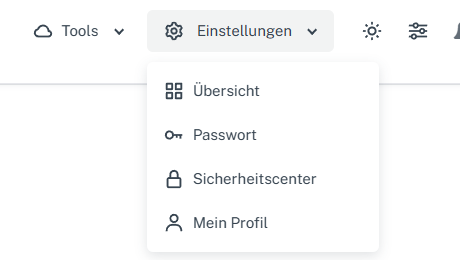
Click “Settings” at the top and select “Security center” in the menu. Click “Settings” in the webmail header, then “Security center” in the menu. On a narrow screen, first open “Menu”, then “Settings” → “Security center”. Open “Select notifications” in the “Security” card.
-
Set “Backup code used” and check that “Send listed security emails” is also enabled.
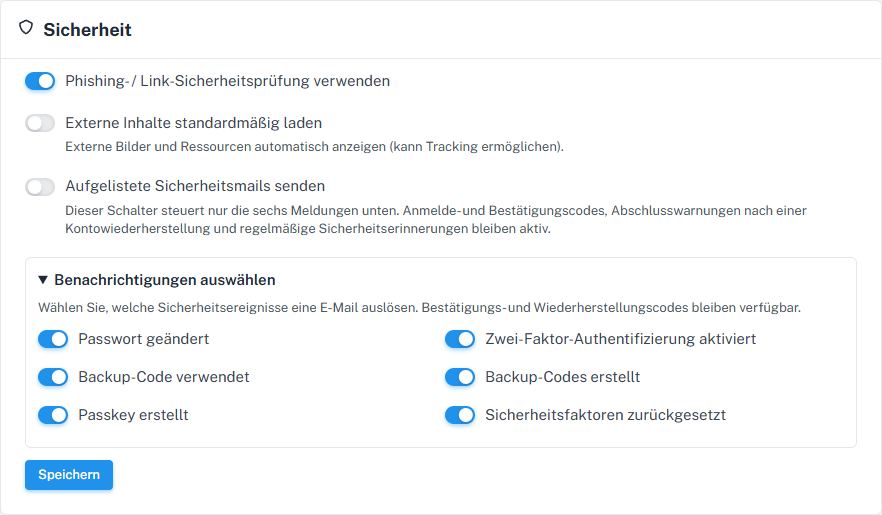
Using a backup code is a separate event. -
Check the other switches, select “Save”, and check the state after reloading.
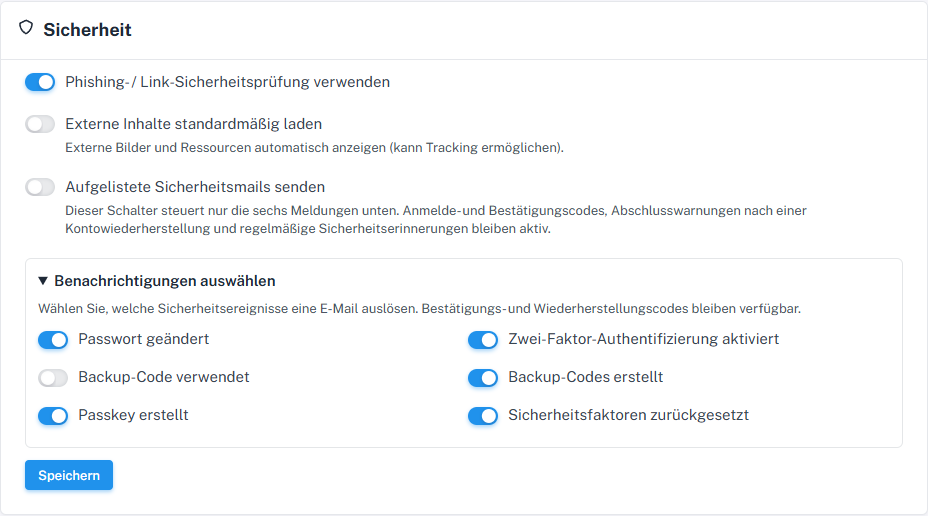
Choose the notification for use of a backup code here.
What you will see afterwards
After saving and reopening, you see your selection for “Backup code used”. This selectable email also requires the main switch to be active. A saved checkmark alone indicates neither code use nor email delivery.
Common problems
- A backup code can be used only once. Use it only when you actually need it for sign-in or recovery.
- If a code was used unexpectedly, check account security and generate new codes if needed.
Go to the relevant section of the “Getting started with Skymail” guide