
PDF tools
Compare two PDF files
Compare two PDF files and download the available comparison result.
Requirement: Publicly accessible without signing in at /en/pdf-tools and the respective tool page
Open the relevant PDF tool
Step by step
-
On the skymail.de home page, scroll to the footer. Under “Support”, click “PDF Tools” (see screenshot). In the PDF overview, select “Compare PDFs”.
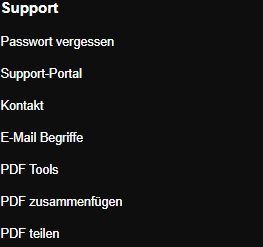
Scroll to the bottom of the SkyMail home page and click “PDF Tools” under “Support” in the footer. -
Under “PDF A” and “PDF B”, select one valid file each, up to 25 MB per file.
-
Click “Start comparison”.
-
Download the offered result and check the areas that matter to you. A TXT file does not include graphical changes.

The message confirms a successful comparison; the result is available through “Download”.
What you will see afterwards
Download the offered comparison result. A TXT file shows text differences between PDF A and PDF B, but no graphical changes. Depending on available capabilities, a comparison PDF may also be offered; inspect its contents separately.
Common problems
- Both PDFs are required and may each be no larger than 25 MB.
- An error appears if either PDF file is unreadable.
- For scans without a text layer, text comparison may be incomplete; OCR can help.