
Webdisk and files
Create a Webdisk folder
Create a new subfolder in the location you choose.
Requirement: After signing in with Webdisk access.
Step by step
-
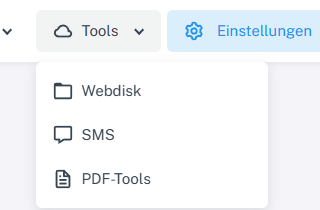
Click “Tools” at the top and choose “Webdisk” from the menu. Click “Tools” → “Webdisk” at the top and select the folder in the folder tree where you want the new subfolder to be created.
-
Enter the name you want in the “Create folder” field.
-
Select “OK”, then check the file list and the folder tree.
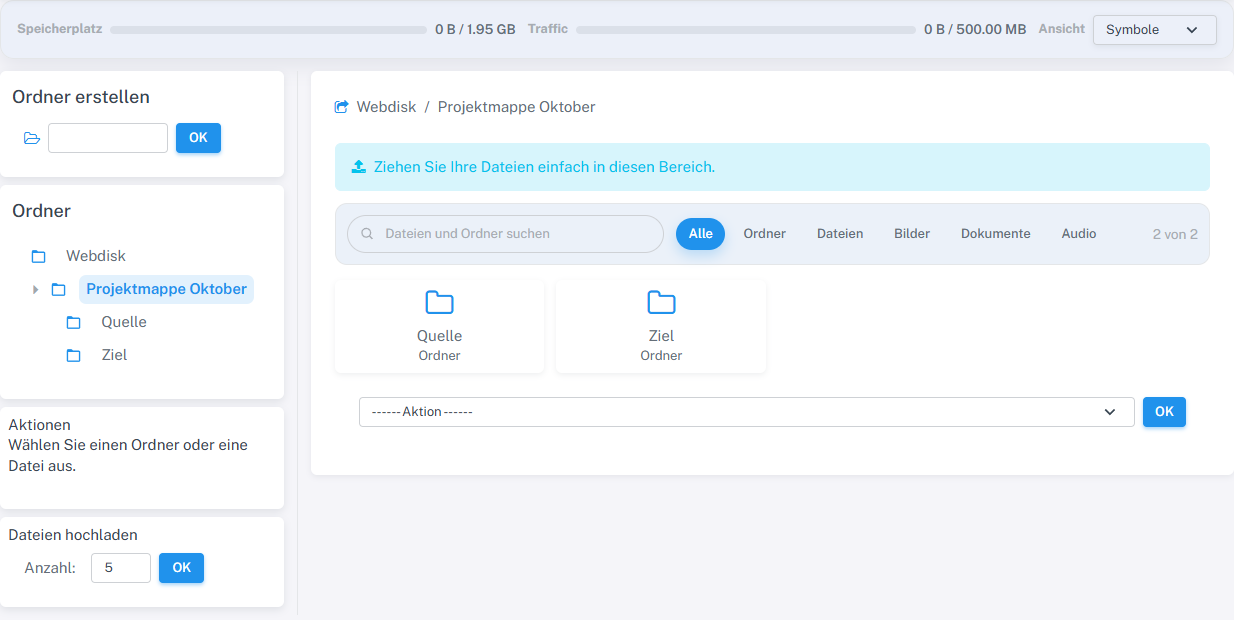
The newly created Quelle and Ziel subfolders appear in the project folder.
What you will see afterwards
If the name is valid and not already in use, the subfolder appears in the selected destination folder.
Common problems
- An empty name or a folder name that already exists will be rejected.
- If the folder is missing, check the destination folder shown in the path bar.