
Webdisk and files
Extract a ZIP archive in Webdisk
Extract files from a ZIP archive into a Webdisk folder.
Requirement: After signing in, with a ZIP file in Webdisk and enough free storage space.
Step by step
-
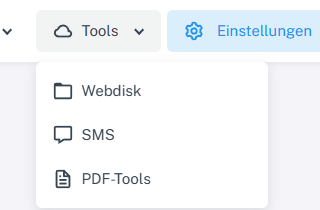
Click “Tools” at the top and choose “Webdisk” from the menu. Click “Tools” → “Webdisk” at the top, open the folder containing the ZIP archive on the left, and select the file.
-
Choose “Extract” and check the file name and destination folder in the form.
-
Under “Existing files”, choose “Keep” to leave existing files unchanged, or “Overwrite” to allow files with the same name to be replaced. Use “Delete after extraction” to decide whether the ZIP archive should be removed afterwards.

The form shows the options for existing files and for keeping the ZIP archive. -
Confirm with “OK” and check the destination folder.
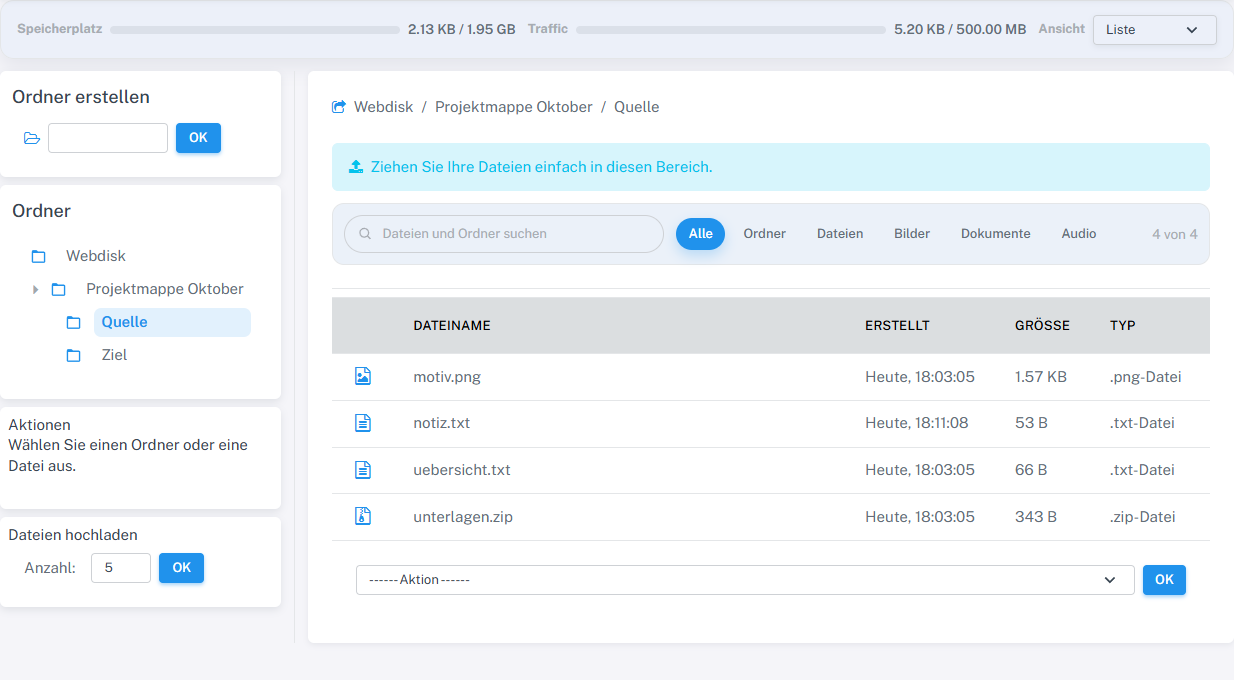
The new file notiz.txt appeared, the existing file was kept, and the ZIP archive remained in place.
What you will see afterwards
The extracted files appear in the selected destination folder. If “Delete after extraction” remains disabled, the ZIP archive is also kept.
Common problems
- If “Extract” is missing, check that the item is a ZIP file.
- There must be enough storage space for the extracted content. “Overwrite” can replace existing files.