
Sign-in and account access
Open the webmail home page
Open the dashboard with the widgets available to your account.
Requirement: A signed-in webmail account.
Step by step
-
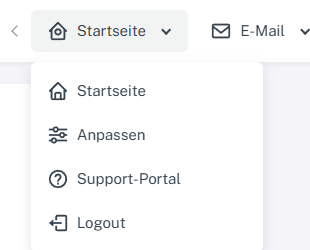
Click “Home” at the top, then click “Home” again in the menu that opens. Sign in to webmail. Click “Home” in the header at the top, then click “Home” again in the menu that opens.
-
The webmail home page opens. Check the “New email” area and the shortcuts.
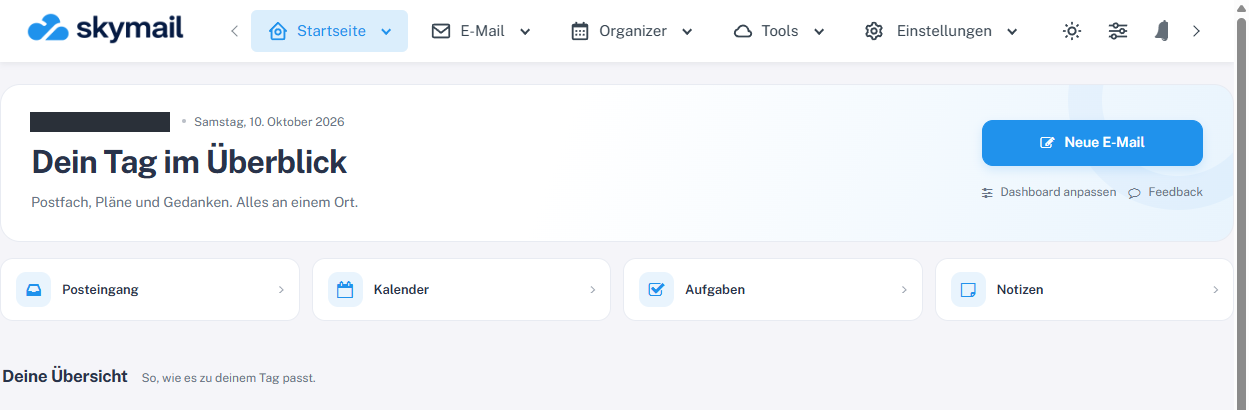
The home page provides “New email”, “Customize dashboard” and shortcuts. -
The dashboard shows “New email”, “Customize dashboard”, shortcuts to your inbox, calendar, tasks and notes, and the widgets available to your account.
What you will see afterwards
The home page of your signed-in account is displayed.
Common problems
- If a widget is missing, use “Customize” to check whether it is enabled.
- Which cards appear depends on the features enabled for your account.
Go to the relevant section of the “Getting started with Skymail” guide