
Security and encryption
Select a security email for password changes
Configure “Password changed” as a separate notification event.
Requirement: After signing in, go to Settings → Security center.
Step by step
-
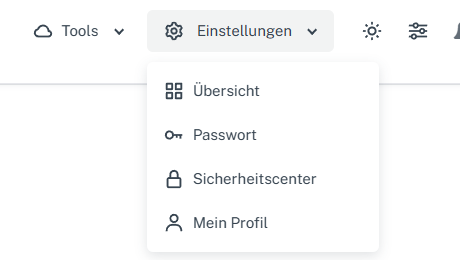
Click “Settings” at the top and select “Security center” in the menu. Click “Settings” in the webmail header, then “Security center” in the menu. On a narrow screen, first open “Menu”, then “Settings” → “Security center”. Go to the “Security” card and expand “Select notifications”.
-
Set “Password changed” to receive an email after a password change. Also check the main “Send listed security emails” switch: if it is off, this individual checkbox is not used for sending.
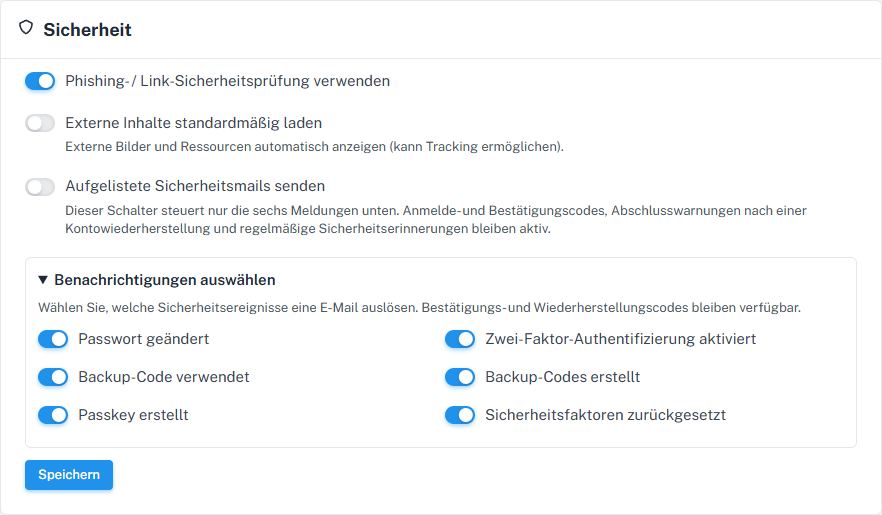
“Password changed” is a separate selectable event. -
Check the other events and main switches, select “Save”, and check the state after reloading.
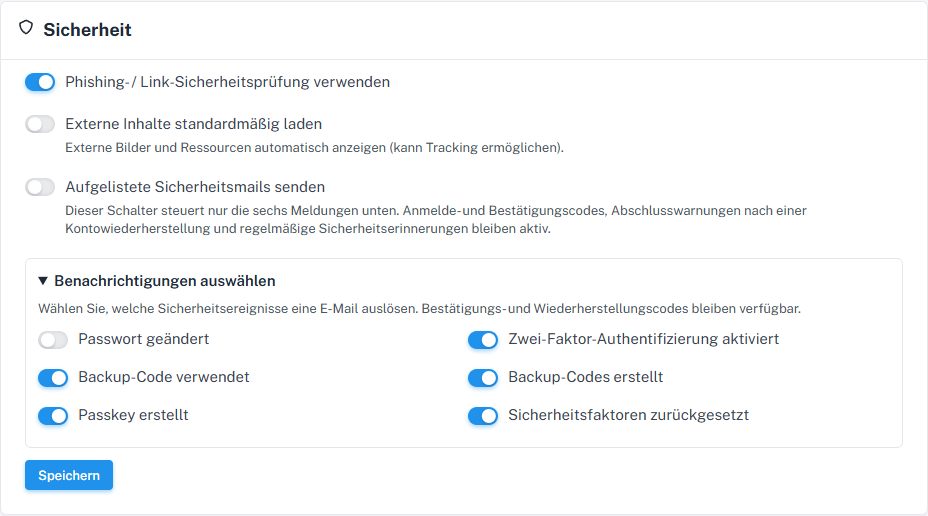
Choose here whether “Password changed” is among the selectable security emails.
What you will see afterwards
After saving, your “Password changed” selection remains visible when reopened. A notification is considered for the corresponding event only if “Send listed security emails” is also enabled; the saved switch does not yet prove delivery.
Common problems
- A missing email may also be due to delivery or filtering; check both switches first.
- Sign-in and recovery codes are not disabled by this option.
Go to the relevant section of the “Getting started with Skymail” guide