
PDF tools
Reorder PDF pages
Enter a desired page sequence with repetitions or omissions.
Requirement: Publicly accessible without signing in at /en/pdf-tools and the respective tool page
Open the relevant PDF tool
Step by step
-
On the skymail.de home page, scroll to the footer. Under “Support”, click “PDF Tools” (see screenshot). In the PDF overview, select “Reorder pages”.
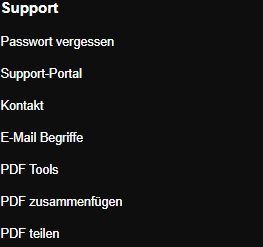
Scroll to the bottom of the SkyMail home page and click “PDF Tools” under “Support” in the footer. -
Select a valid PDF file up to 25 MB.
-
In “New order”, enter page numbers separated by commas, for example “3,1,2,2”. Pages not listed are omitted; repeated numbers include a page more than once.
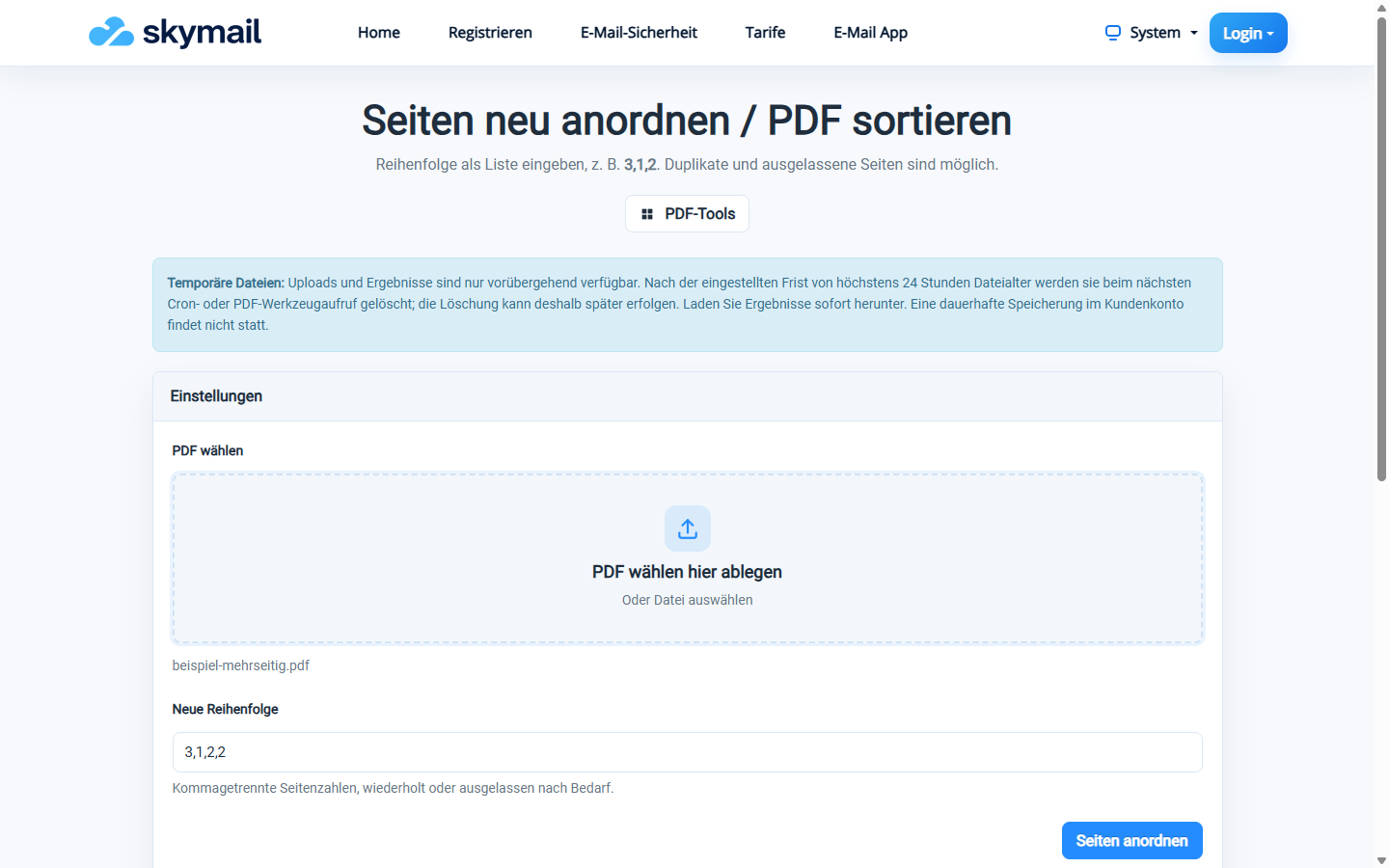
The page sequence 3,1,2,2 includes a repeated page. -
Click “Arrange pages”, download the file and check the page sequence.
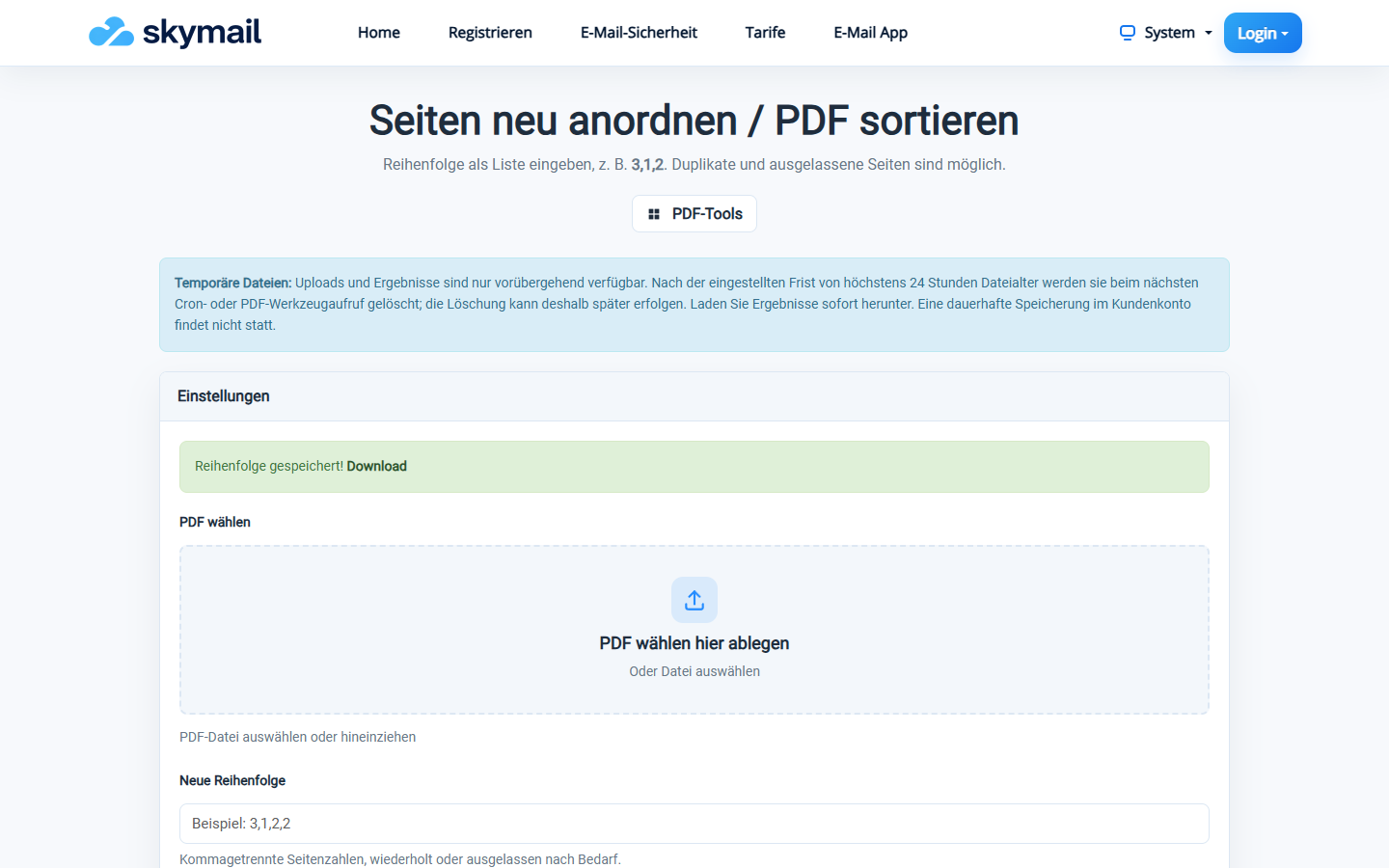
The reordered PDF is available to download.
What you will see afterwards
The new PDF contains the pages in exactly the order entered. The original file on your device remains unchanged.
Common problems
- The field must not be empty and accepts only comma-separated whole numbers.
- A page number outside the document may cause an error.
- For individual pages as separate files, use “Split PDF”.