
Read and write emails
Mark emails as favorites
Highlight a message with a star or remove the mark.
Requirement: A signed-in account with an editable message.
Step by step
-
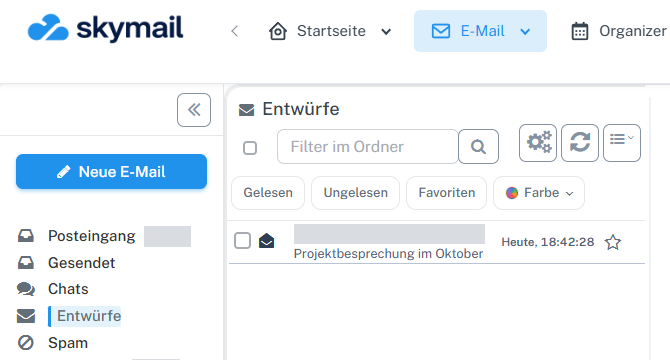
Click “Email” at the top and “Inbox” or the desired folder on the left. Click “Email” in the webmail header and “Inbox” or the folder containing the message on the left.
-
Select the star at the right end of the message row. Alternatively, select the row and choose “Favorite” in the selection bar.
-
A filled yellow star identifies a favorite.
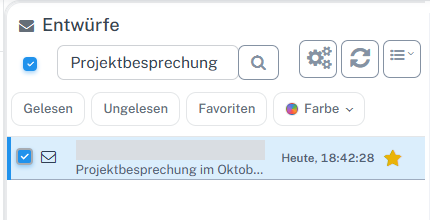
The yellow star on the right of the row shows the draft's favorite status. -
Select the star again to remove the mark.
What you will see afterwards
The star indicates whether the message is marked as a favorite. The message remains in the open folder.
Common problems
- The favorites filter shows only messages with the corresponding mark.
- A star action may be absent in a read-only view.
Go to the relevant section of the “Getting started with Skymail” guide