
Read and write emails
Open and read an email
Open a message from the folder list in the reading view.
Requirement: A signed-in account with at least one message.
Step by step
-
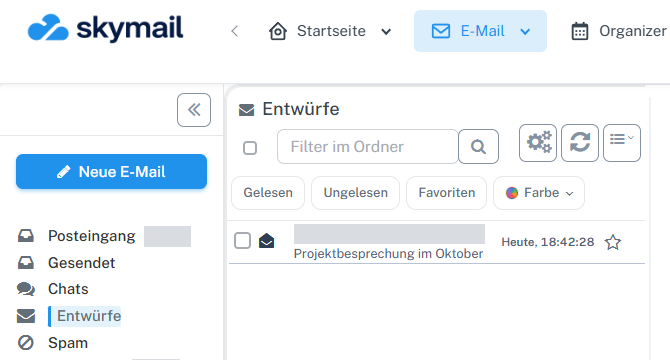
Click “Email” at the top and “Inbox” or the desired folder on the left. Click “Email” in the webmail header and “Inbox” or the folder containing the message on the left.
-
Select the message in the list. On desktop, a single click shows the reading pane on the right when preview is enabled; a double-click opens the full reading view.
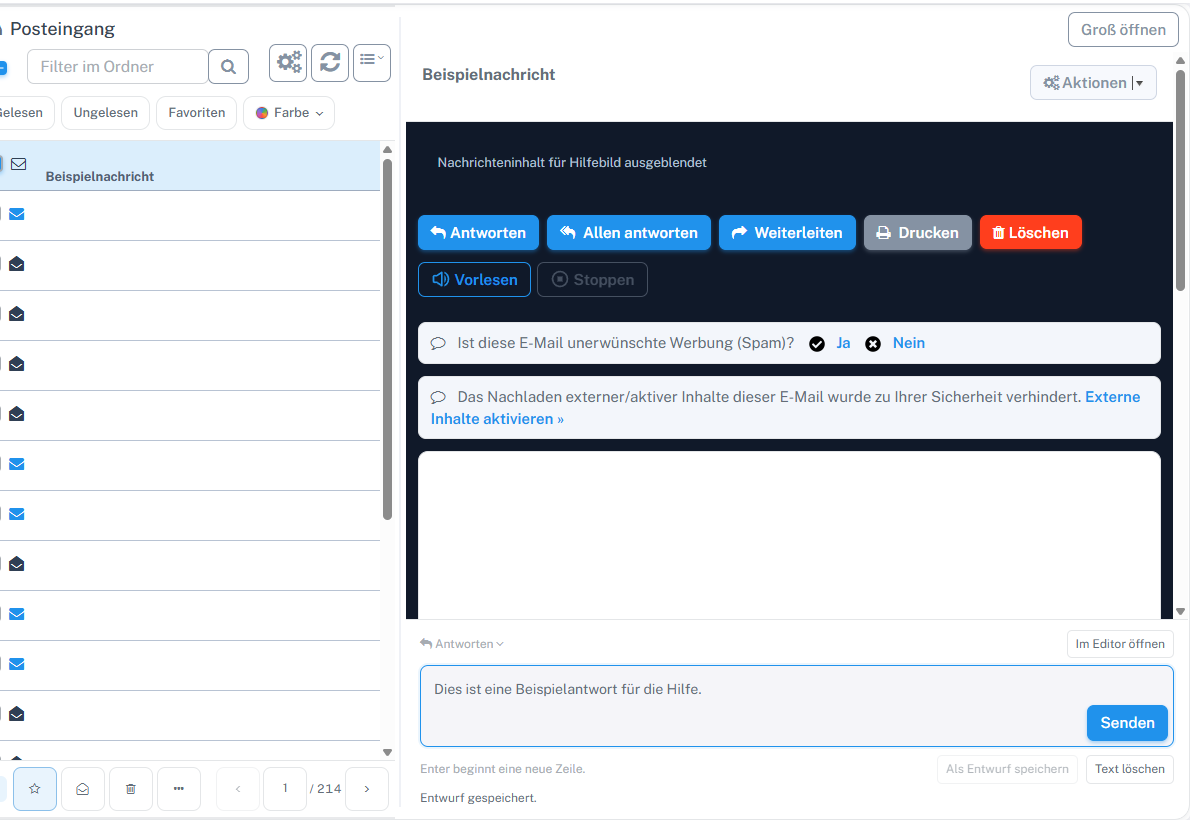
Clicking a message opens the preview on the right when this view is enabled. -
In the reading view, check the sender, recipients, date, and subject before opening links or attachments.
What you will see afterwards
Depending on the click and preview setting, the message appears in the reading pane or full reading view.
Common problems
- External content may initially be blocked for privacy reasons; load it only if you trust the sender.
- If the preview remains empty, select the message again or double-click it to open the reading view.
Go to the relevant section of the “Getting started with Skymail” guide