
Read and write emails
Send a quick reply
Reply directly below an open email without first opening the compose window.
Requirement: A signed-in account with a suitable open message and an available sender.
Step by step
-
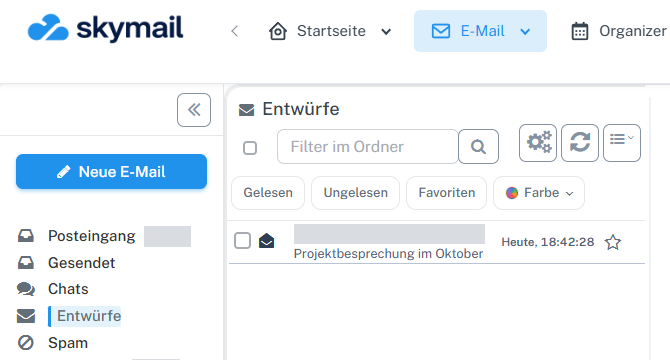
Click “Email” at the top and “Inbox” or the desired folder on the left. Click “Email” in the webmail header and “Inbox” or the folder containing the message on the left. Select a suitable message in the list; open it in the preview or double-click it for the reading view. Below the message text, you will find “Write a quick reply”.
-
If needed, choose the desired reply mode through “Reply” and check the displayed recipient.
-
Write your reply in the text field. Use Enter to start additional lines. Check the text before sending.
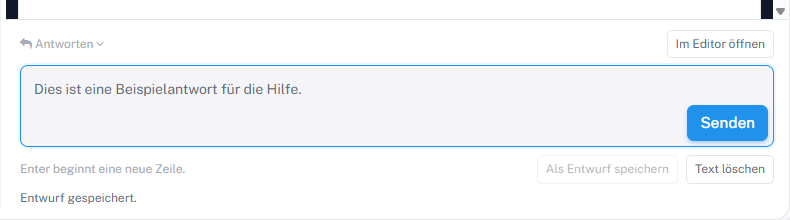
Write and check your reply; only “Send” sends it. -
Select “Send”. Wait for the “Reply sent” response.

The webmail interface confirms sending with “Reply sent”.
What you will see afterwards
After submission, webmail reports “Reply sent”. This confirms sending in webmail; it does not separately prove delivery to the recipient.
Common problems
- For protected or encrypted messages and certain security requirements, quick reply may require the full editor.
- If the sending status remains unclear, do not send again immediately. First check “Sent” and follow the displayed notice.
Go to the relevant section of the “Getting started with Skymail” guide