
Folders and search
Search for messages in your mailbox
Find messages in your own account using webmail search.
Requirement: A signed-in webmail account.
Step by step
-
Click “Email” in the header, then “Search” in the menu.
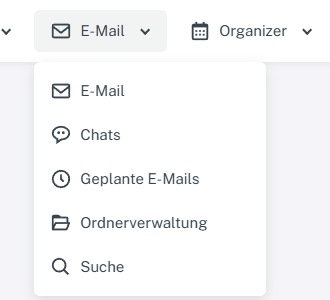
Click “Email” at the top, then “Search” in the menu. -
Enter a suitable term under “Search for”, such as part of the subject. Check which areas are selected under “Search in”.
-
Select “Search”. Check the title, date, and area of the matches in the result list.
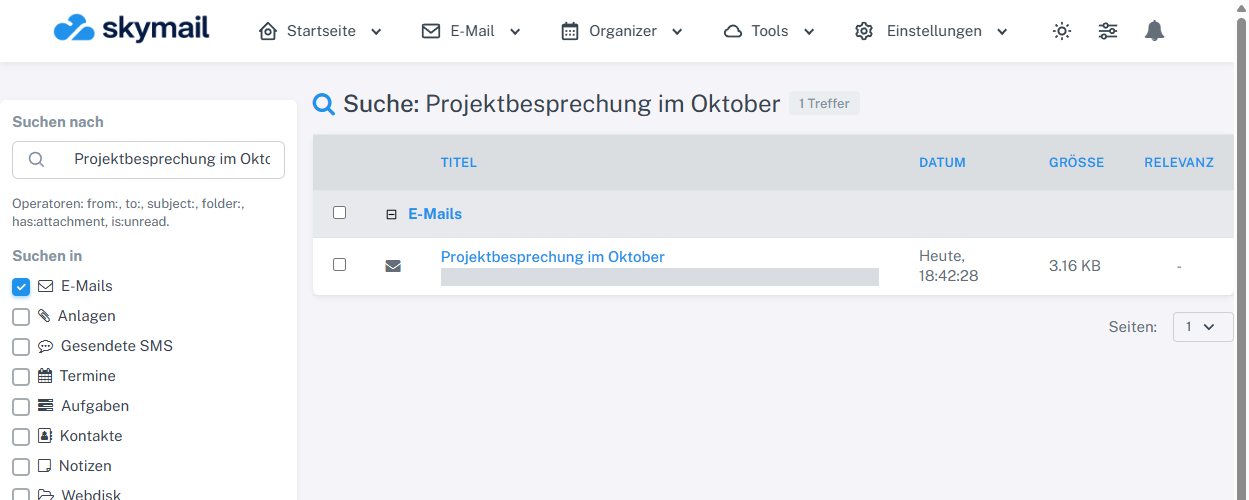
After selecting “Search”, the result list shows the matching item with its title and date. -
If the list is too long, narrow it down using “Search in” and the date fields.
What you will see afterwards
The result list shows matches from the selected search areas. In the account checked, a custom draft was found as an email result. Other enabled areas can also return results.
Common problems
- Mailbox search searches personal data; it is separate from public support portal search.
- If there are no results, check the spelling, search area, and date filters.
Go to the relevant section of the “Getting started with Skymail” guide