
PDF tools
Set PDF bookmarks and a table of contents
Enter navigation points with a title, page and level.
Requirement: Publicly accessible without signing in at /en/pdf-tools and the respective tool page
Open the relevant PDF tool
Step by step
-
On the skymail.de home page, scroll to the footer. Under “Support”, click “PDF Tools” (see screenshot). In the PDF overview, select “Edit table of contents”.
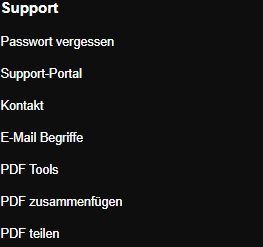
Scroll to the bottom of the SkyMail home page and click “PDF Tools” under “Support” in the footer. -
Select a valid PDF file up to 25 MB.
-
Under “Entries”, enter “Title|PageNumber|Level” on each line, for example “Chapter 1|1|1” and “Subsection|2|2”. Level 1 denotes a main chapter.
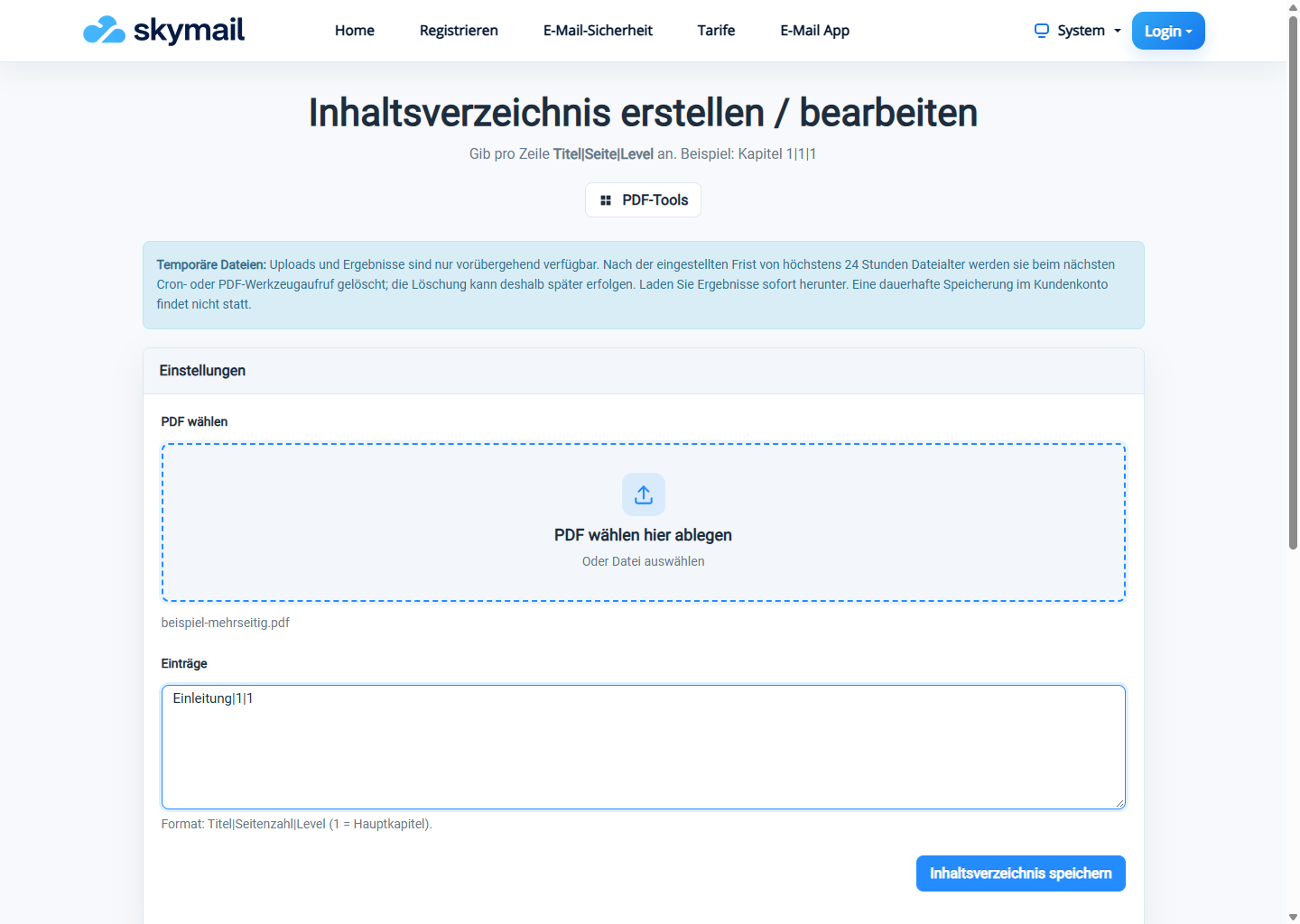
Enter the title, destination page and level for a PDF bookmark. -
Click “Save table of contents”, download the PDF and check the bookmarks and their destinations.
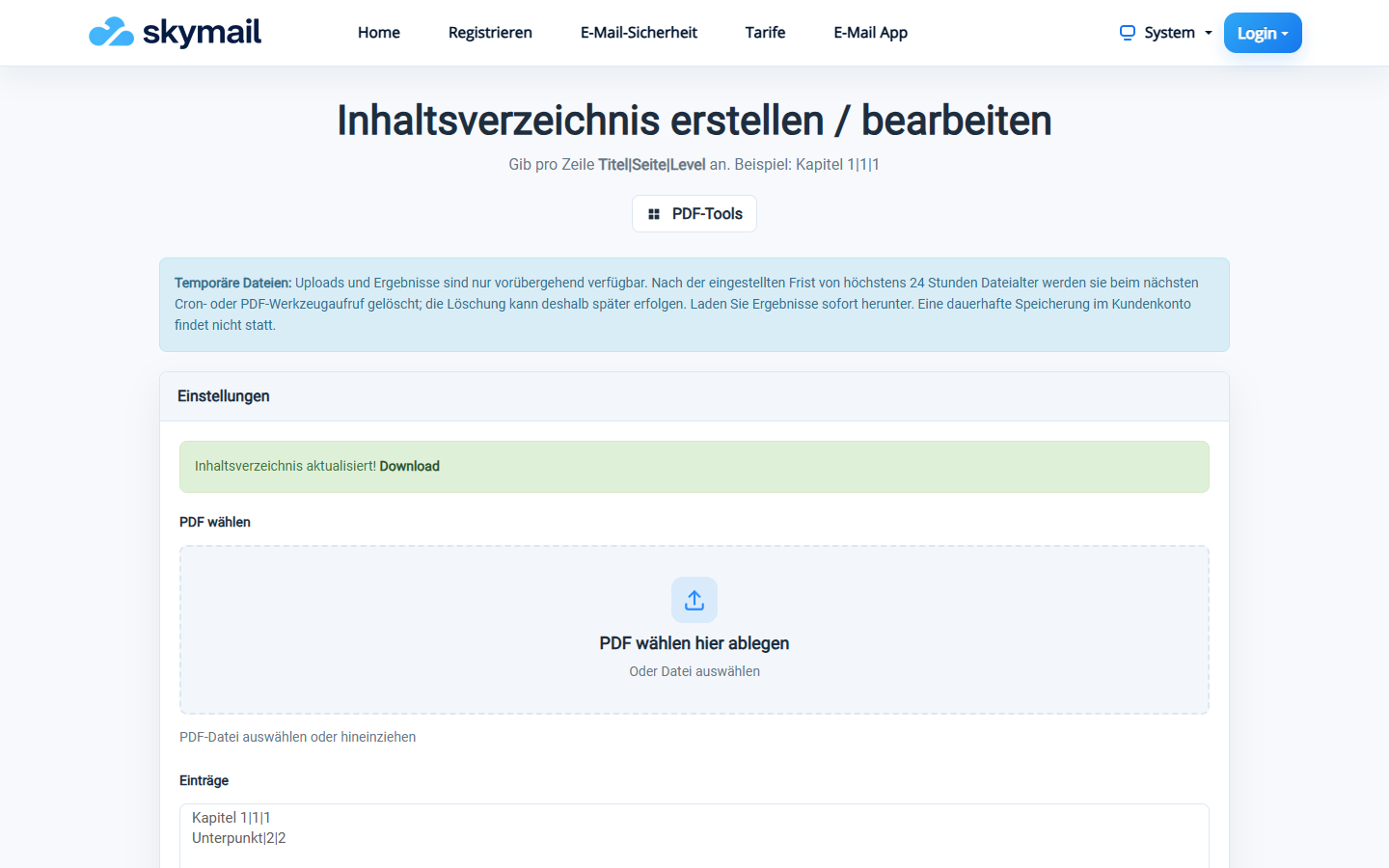
The new PDF with bookmarks is available to download; check the destination.
What you will see afterwards
The entries appear as bookmarks for navigating the new PDF. No printed table-of-contents page is inserted.
Common problems
- At least one valid entry is required; incorrectly formatted lines are not included.
- Page number and level must be numbers. Check that the page exists.
- An error appears if the bookmarks cannot be written.