
Security and encryption
Select a security email for enabled two-factor authentication
Configure the individual notification for activating a second factor.
Requirement: After signing in, go to Settings → Security center.
Step by step
-
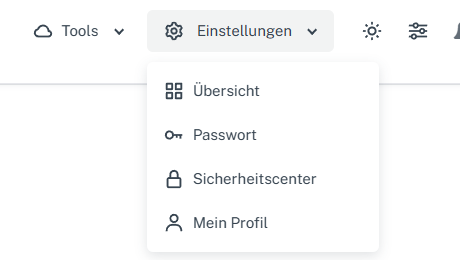
Click “Settings” at the top and select “Security center” in the menu. Click “Settings” in the webmail header, then “Security center” in the menu. On a narrow screen, first open “Menu”, then “Settings” → “Security center”. Open “Select notifications” in the “Security” card.
-
Set “Two-factor authentication enabled”. “Send listed security emails” must also be enabled for this selectable email.
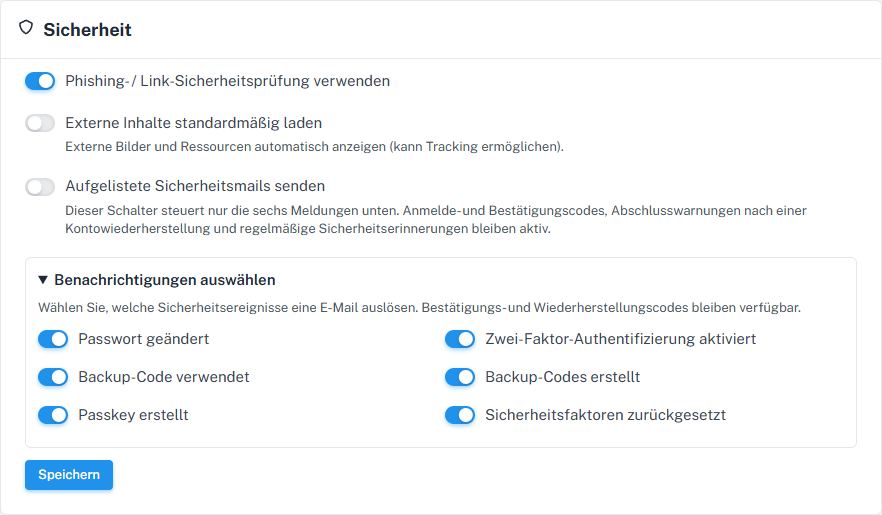
2FA activation has its own notification switch. -
Check the other switches, save the shared form, and check the selection after reloading.
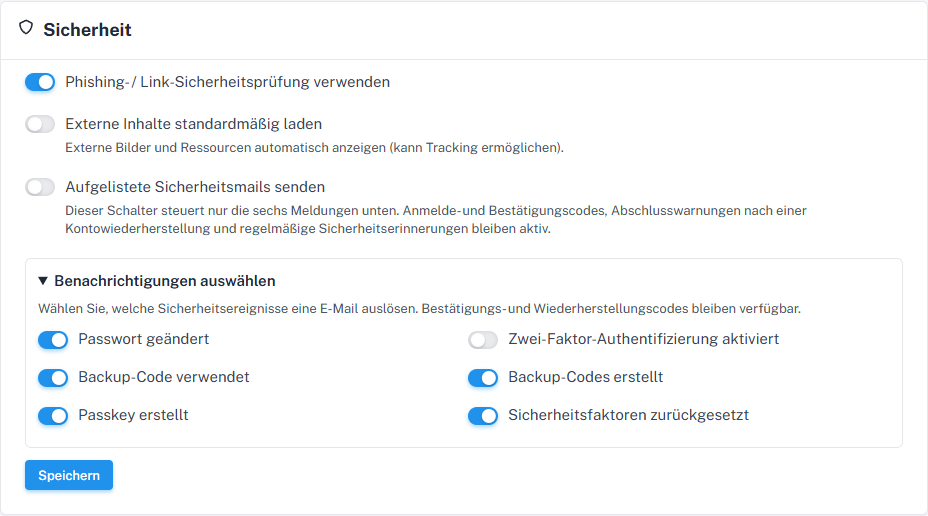
Choose the notification for activating a second factor here.
What you will see afterwards
After saving, your choice for “Two-factor authentication enabled” remains visible when reopened. The main switch must also be active for a selectable email; a checked box alone confirms neither activation nor delivery of a message.
Common problems
- A 2FA process that has been started but not confirmed with a code is not yet an activation.
- The notice about the scope of the main switch also applies to this option.
Go to the relevant section of the “Getting started with Skymail” guide