
Help and contact
Close your own Premium ticket
Close a personal support ticket once the issue is resolved.
Requirement: After signing in with personal Premium support enabled and access to an open ticket of your own.
Step by step
-
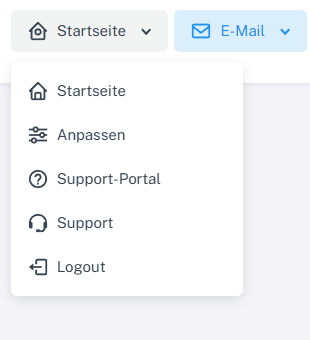
Click “Home” at the top and open the private “Support” area. In signed-in webmail, click “Home” at the top, then “Support” with the headset icon in the menu. “Support portal” is the separate public help area.
-
Find your own open ticket under “My tickets”, open it, and check that the issue is actually resolved.

Before closing, open your own ticket under “My tickets”. -
Select “Close ticket” on the right in the ticket and confirm the prompt “Really close this ticket?”.
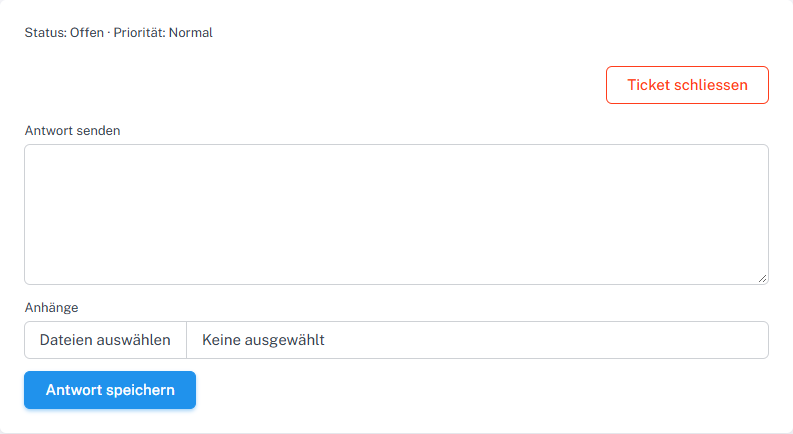
When the issue is resolved, click “Close ticket” in your own ticket. -
Then check for the “Closed” status in the ticket history or under “My tickets”.
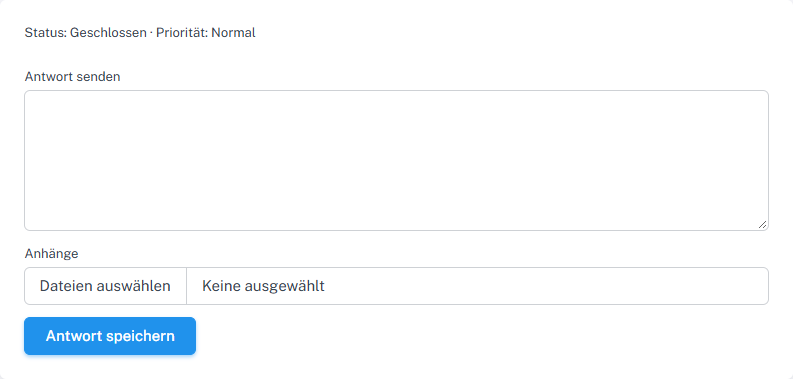
After closing, the detail view shows “Closed”. A later reply reopens the ticket.
What you will see afterwards
After successful closure, the status is “Closed”. The reply field remains available; a later new reply changes the ticket back to “Open”.
Common problems
- If the ticket is already closed, “Close ticket” is no longer offered in the interface.
- Only the owner of the private ticket with the appropriate group permission can perform this action.
- If you reply again after closing, check that the status has returned to open and close the ticket again if appropriate.