
Security and encryption
Deactivate or delete a recipient key
Deactivate an outdated or incorrect public recipient key or remove it from the keyring.
Requirement: After signing in, in the “Public keys” area of OpenPGP
Step by step
-
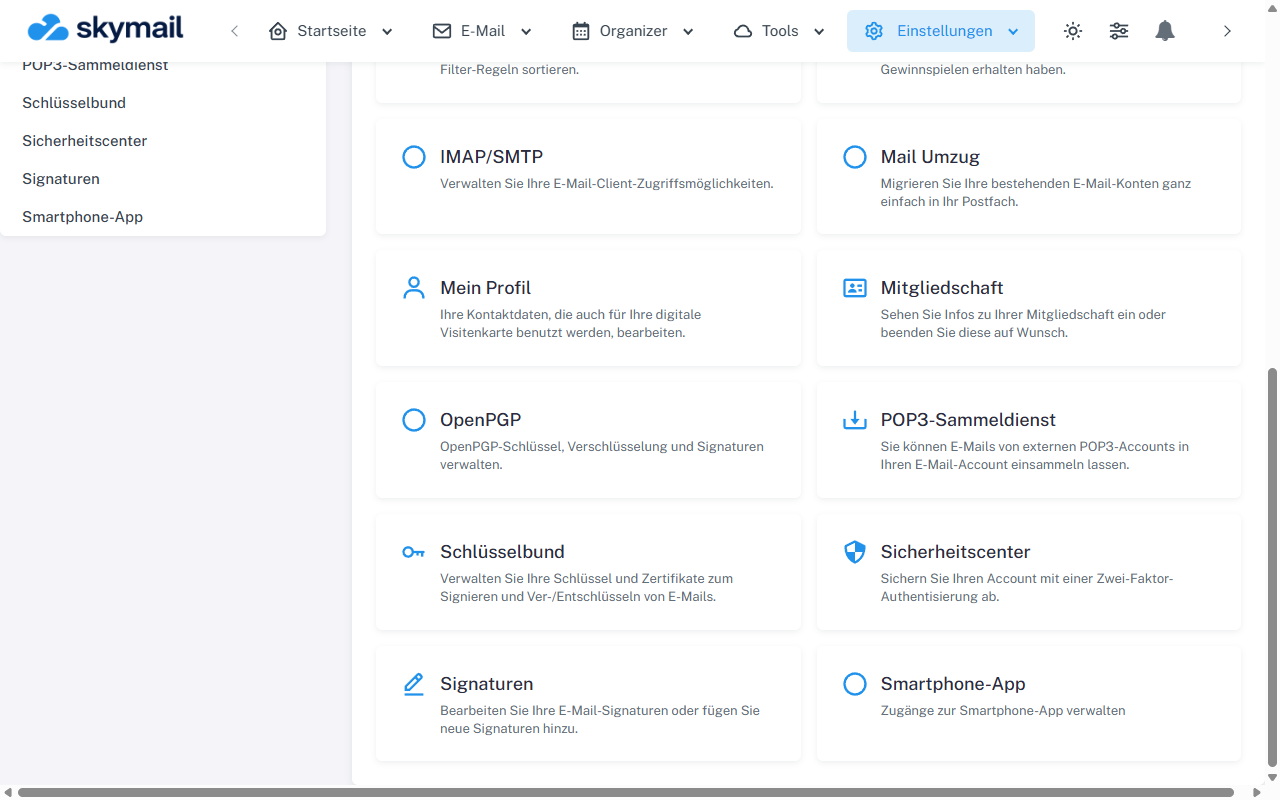
Open Settings at the top and select OpenPGP in the overview. Click “Settings” at the top and “OpenPGP” in the overview. Select “Public keys” there and find the entry by email address and fingerprint.
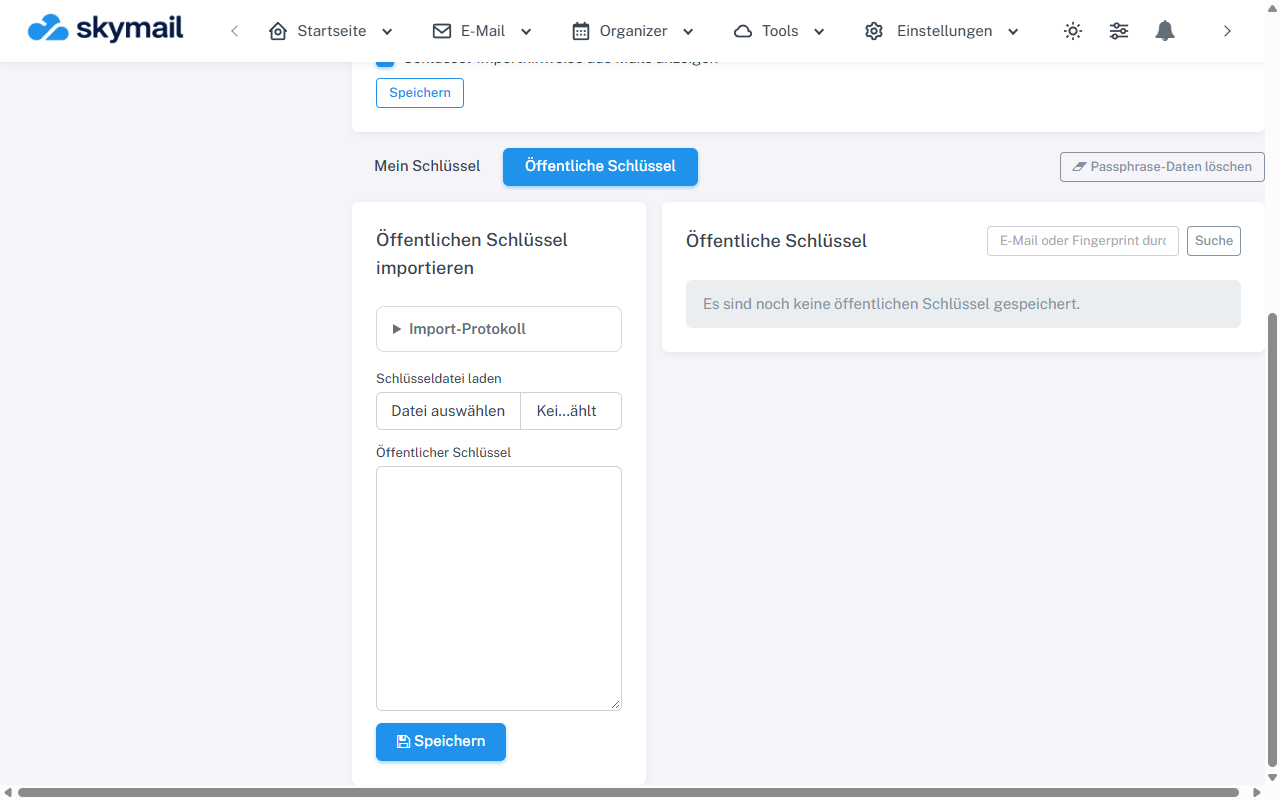
Open Public keys; you can import or search there. -
To remove it only from the active selection, select “Deactivate key” in its row.
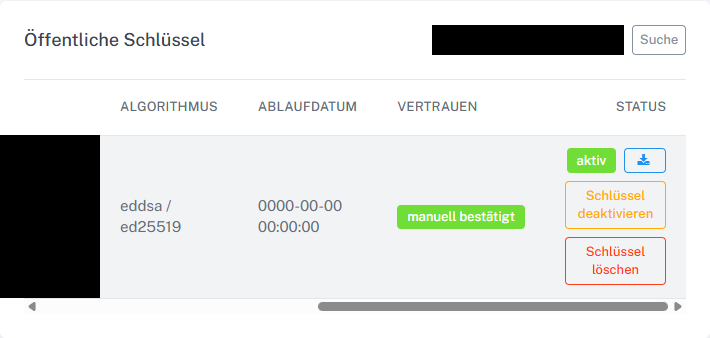
Deactivate or delete a key in the list. -
To remove the entry from your keyring, select “Delete key”. Make sure you choose the correct fingerprint.
-
Check the list again. If needed, import and confirm the contact's current key before sending an encrypted email.
What you will see afterwards
Deactivating keeps the record in the list with an inactive status. Deleting removes it from your personal keyring; there is no Restore button for this entry.
Common problems
- If no usable recipient key remains afterward, encrypted sending to that address is blocked.
- A deleted key can only be imported again if you have a trusted copy.
- Do not confuse a recipient key with your own private key.
Go to the relevant section of the “Getting started with Skymail” guide