
Webdisk and files
Edit TXT files in Webdisk
Open, edit, save, or download plain text files in SkyMail’s own text editor, including on your phone.
Requirement: After signing in with Webdisk access. Plain UTF-8 text files up to 2 MiB are supported; empty TXT files can also be edited.
Step by step
-
Open a TXT file from Webdisk. For a new file, choose “New file” and then the “Text file” (TXT) file type.
-
Write or change the content in the “File content” field. On a phone, the same text editor opens with an adapted layout.
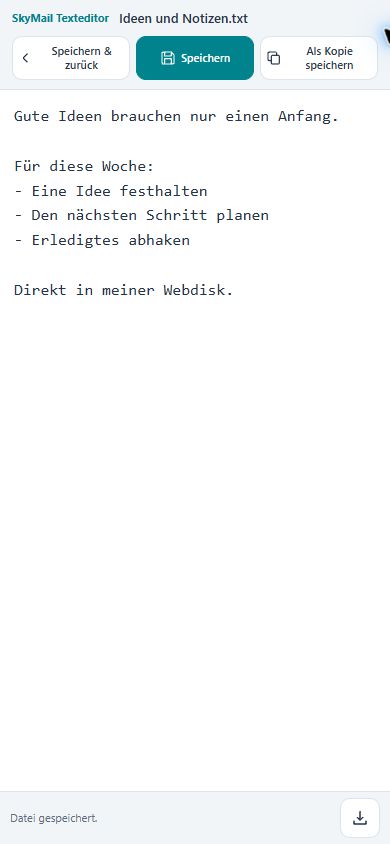
TXT files open in the built-in text editor. On a phone, the writing area remains easy to reach. -
“Save” updates the open TXT file and keeps you in the editor. “Save & return” saves the file and returns to Webdisk.
-
“Save as copy” creates an additional file. Use “Download text” to save the current text as a TXT file on your device.
What you will see afterwards
The text is saved as a UTF-8 file without a BOM, with consistent line breaks. The existing file and any explicitly saved copy remain separate items.
Common problems
- An error message appears for a different character encoding or a binary file. If needed, convert the file to UTF-8 text first.
- If the file is larger than 2 MiB, use a local text editor.
- If the original file has meanwhile changed, SkyMail will not overwrite it without asking. Save your text as a copy or use “Download text”.
- Rely on the successful save confirmation. Keeping the editor open is no substitute for explicitly saving your changes.