
Help and contact
Request manual account recovery
Request a manual account review without signing in when your own recovery methods are no longer available.
Requirement: Available publicly without signing in at /en/help/account-recovery; this route does not replace automatic password recovery.
Step by step
-
Open Forgot password
Open skymail.de. In the homepage login box, click “Forgot password”; on a computer, the link is at the top right of the login box, and on a smartphone directly below “Login”. You reach the “Forgot password” page without signing in.
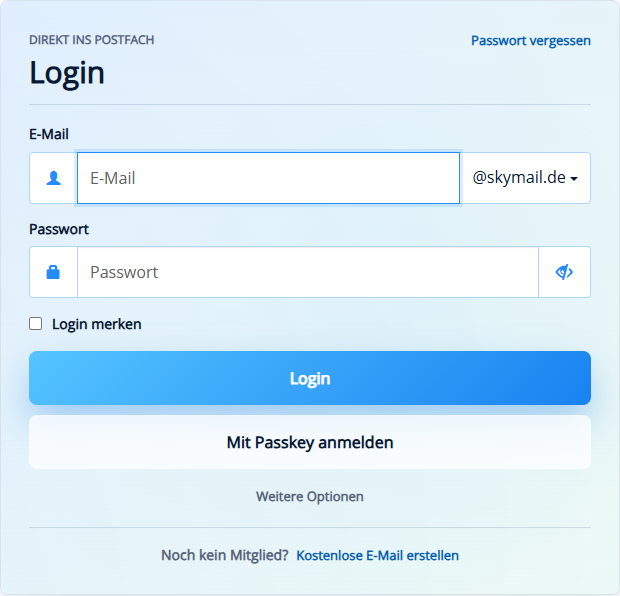
Start with “Forgot password” in the public login box. -
Check the backup code option
First check whether you can use your saved security email or SMS. If neither is available, click “Unlock with recovery key” at the top. In the “Backup code” section, you can use a code of your own. If you do not have one, click “I do not have any backup codes” below it.
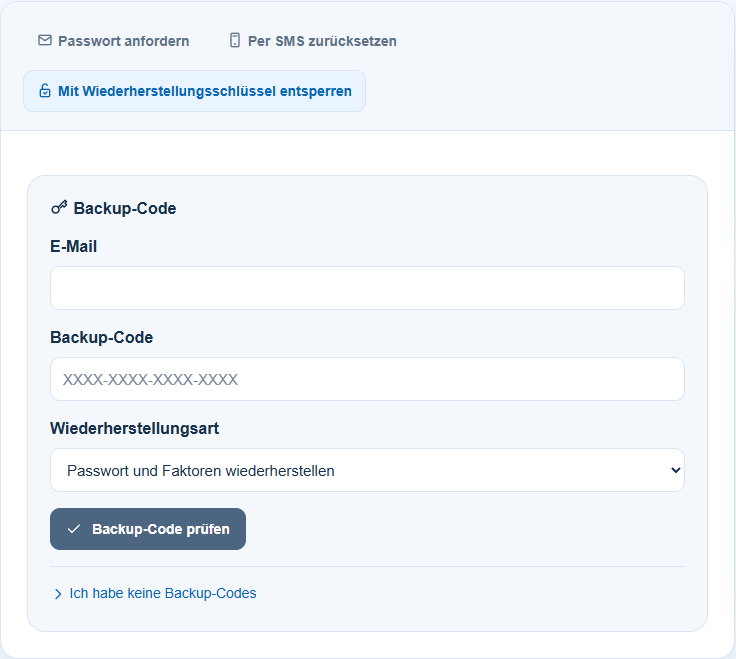
Without access to your email or SMS: open recovery and select “I do not have any backup codes”. -
Continue without a recovery key
In the “Recovery key” section now shown, you can use your own recovery key. If that is also missing, click “I no longer have a recovery key either” at the bottom.
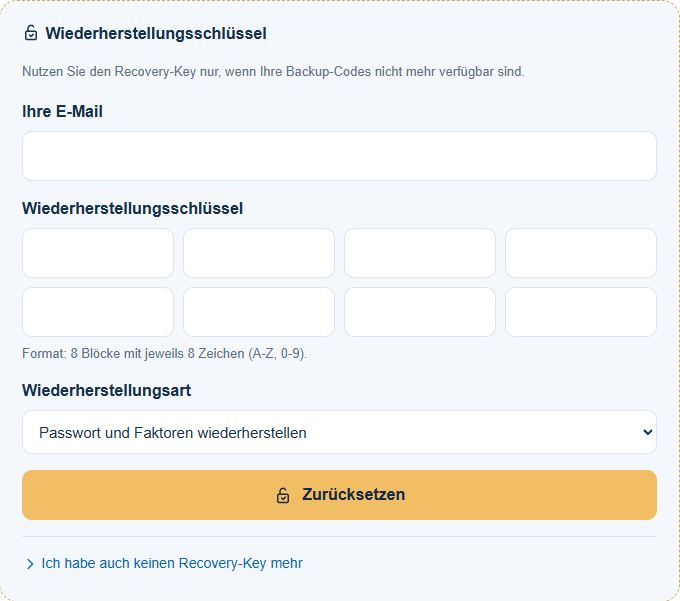
Without a recovery key: select “I no longer have a recovery key either” at the very bottom. -
Open the public account review
Under “Manual review by support”, click “Open support module”. This takes you to the public “Manual account recovery” form at /en/help/account-recovery. This route is not part of personal Premium support.
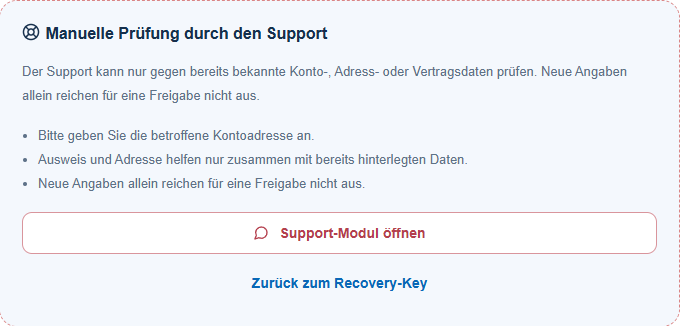
Then select “Open support module” for the public manual account review. -
Enter your contact and account details
Enter your “Name”, a reachable “Reply email”, and the affected “SkyMail address”.
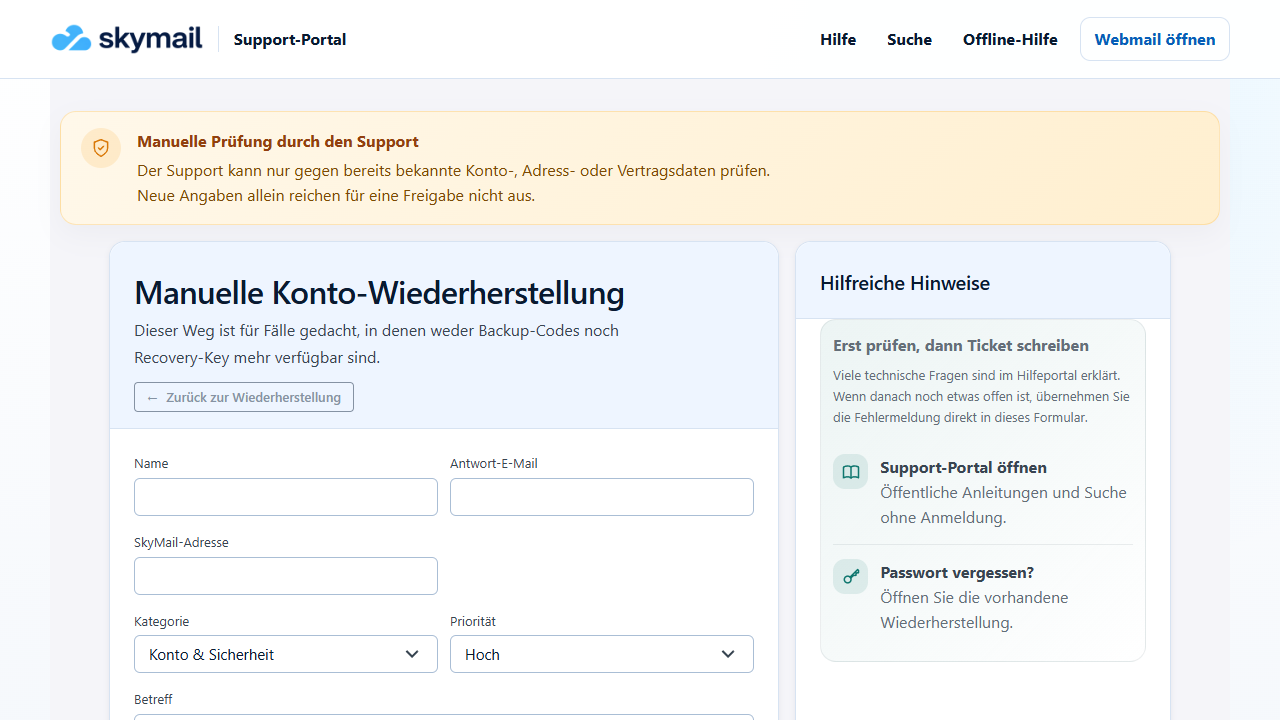
Manual recovery asks for your name, reply email, account address, and further details. -
Check the request
Check the “Category”, “Priority”, “Subject”, and the preset message text. Only add previous account, address, or contract details that may already be on record.
-
Add evidence and the security code
Attach only appropriate, requested evidence, enter the “Security code”, and select “Send ticket”.
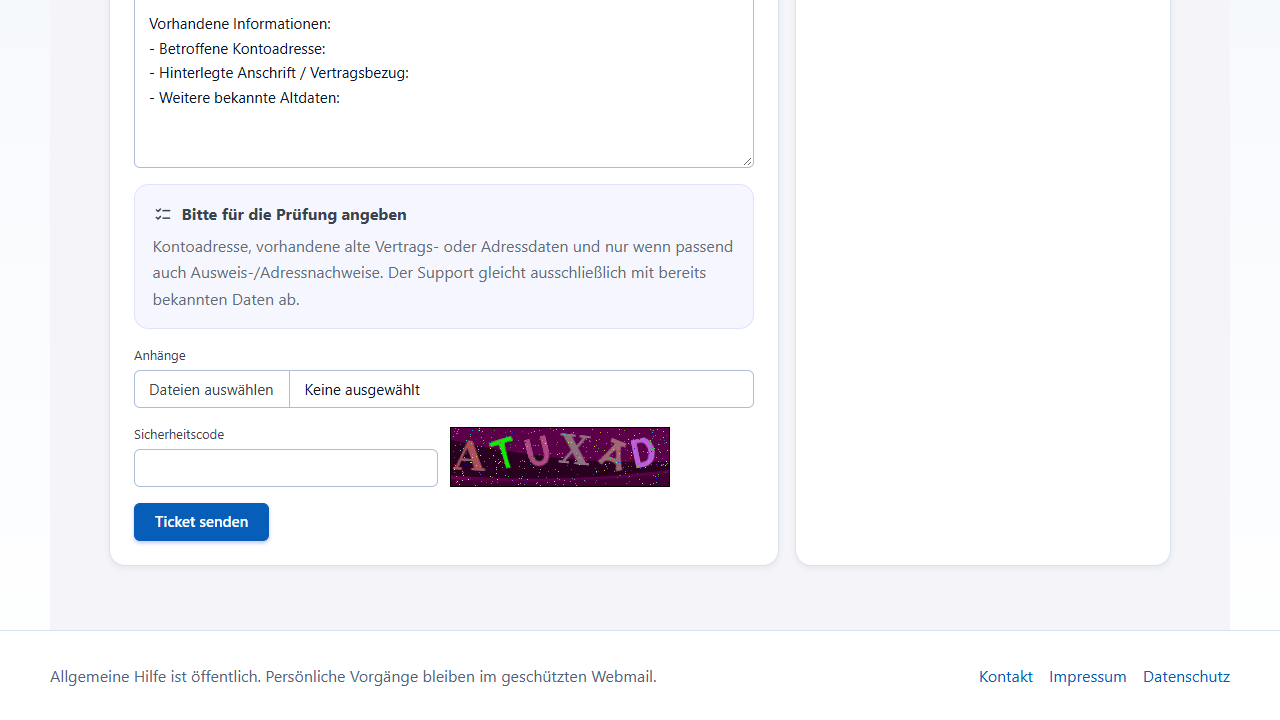
Before “Send ticket”, the form offers attachments and a security code. -
Keep the confirmation
If the request is accepted, check the displayed ticket confirmation and carefully retain any access link you receive.
What you will see afterwards
After submission, the form shows a ticket confirmation only if the request is accepted. Acceptance depends, among other things, on complete details and a valid security code. This does not promise that the account will be released.
Common problems
- An invalid security code can prevent submission; check the characters shown before sending.
- New, previously unknown details alone are not sufficient for the review.
- The public ticket is separate from personal Premium support in the signed-in account.
- Never send your current password, backup codes, or private keys.