
Help and contact
Search the public help
Find published guides using a search term.
Requirement: Available publicly without signing in; online search covers published articles.
Step by step
-
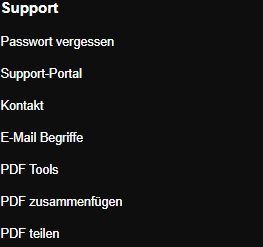
On skymail.de, click “Support portal” under “Support” at the bottom; help search starts there. Open skymail.de, scroll to the footer, and click “Support portal” under “Support”. The search field is shown there; alternatively, click “Search” at the top.
-
Enter a specific term such as “Calendar” and select “Search help”. Search shows matching published guides.
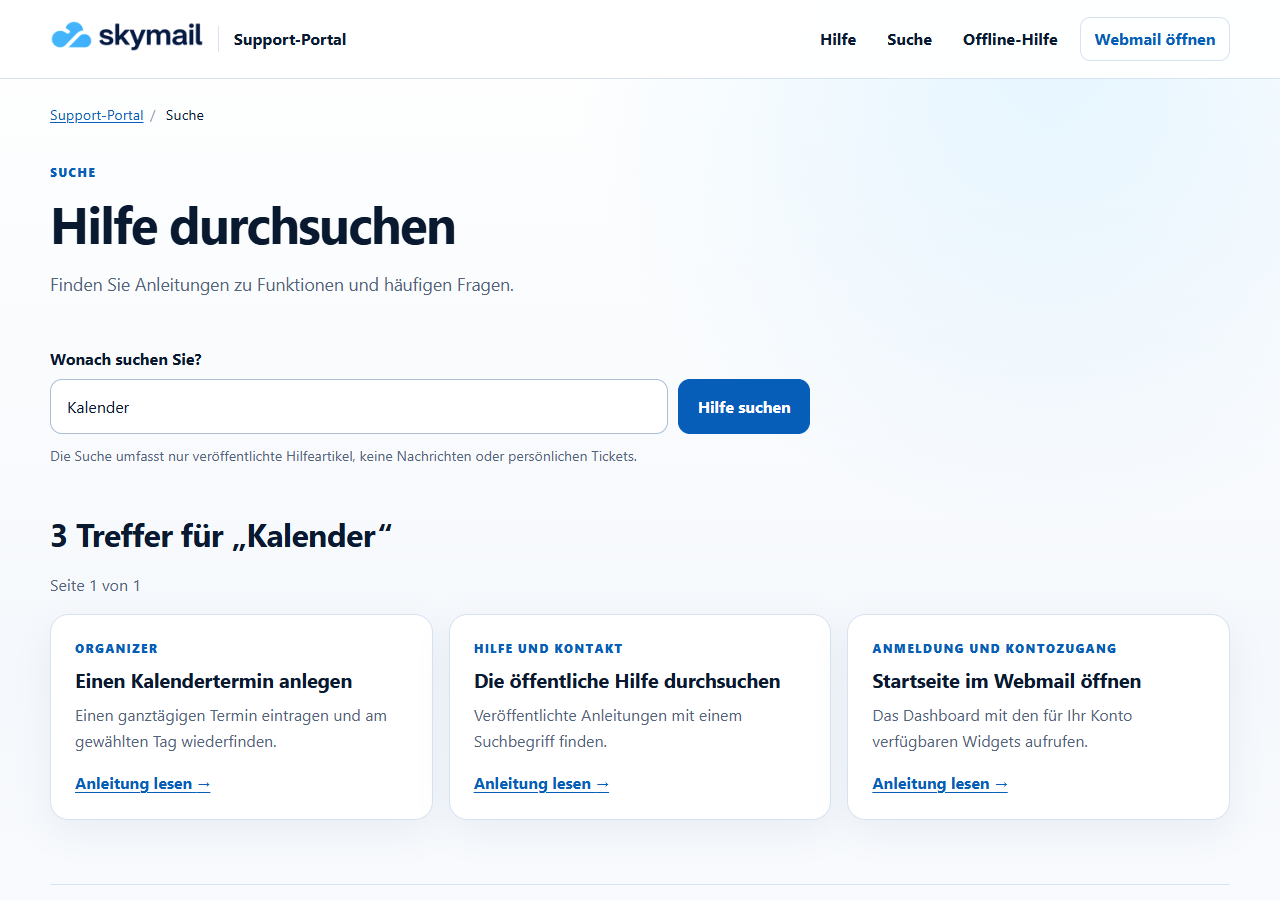
Searching for “Calendar” shows matching published guides, including “Create a calendar event”. -
Compare the titles and short descriptions of the results, then open the relevant article with “Read guide”.
-
If there are several results pages, use “Next” or “Previous”. If “No results” appears, try a shorter term or a different spelling.
What you will see afterwards
Online search shows up to 20 results per page from the published help collection. It does not search private emails or tickets.
Common problems
- If you cannot find a suitable result, try a shorter term or open the appropriate topic area.
- If search is unavailable, open a topic area or use the public contact form.
- Without internet access, only public help that you previously saved explicitly can be searched.
Go to the relevant section of the “Getting started with Skymail” guide