
Help and contact
Read public help articles and topics
Open topic areas and published help articles without signing in.
Requirement: Available publicly without signing in; only editorially published articles are displayed.
Step by step
-
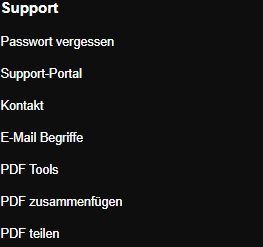
Open the Skymail homepage and click “Support portal” under “Support” at the bottom. Open skymail.de and scroll to the footer. Click “Support portal” under “Support”. You do not need to sign in to read it.
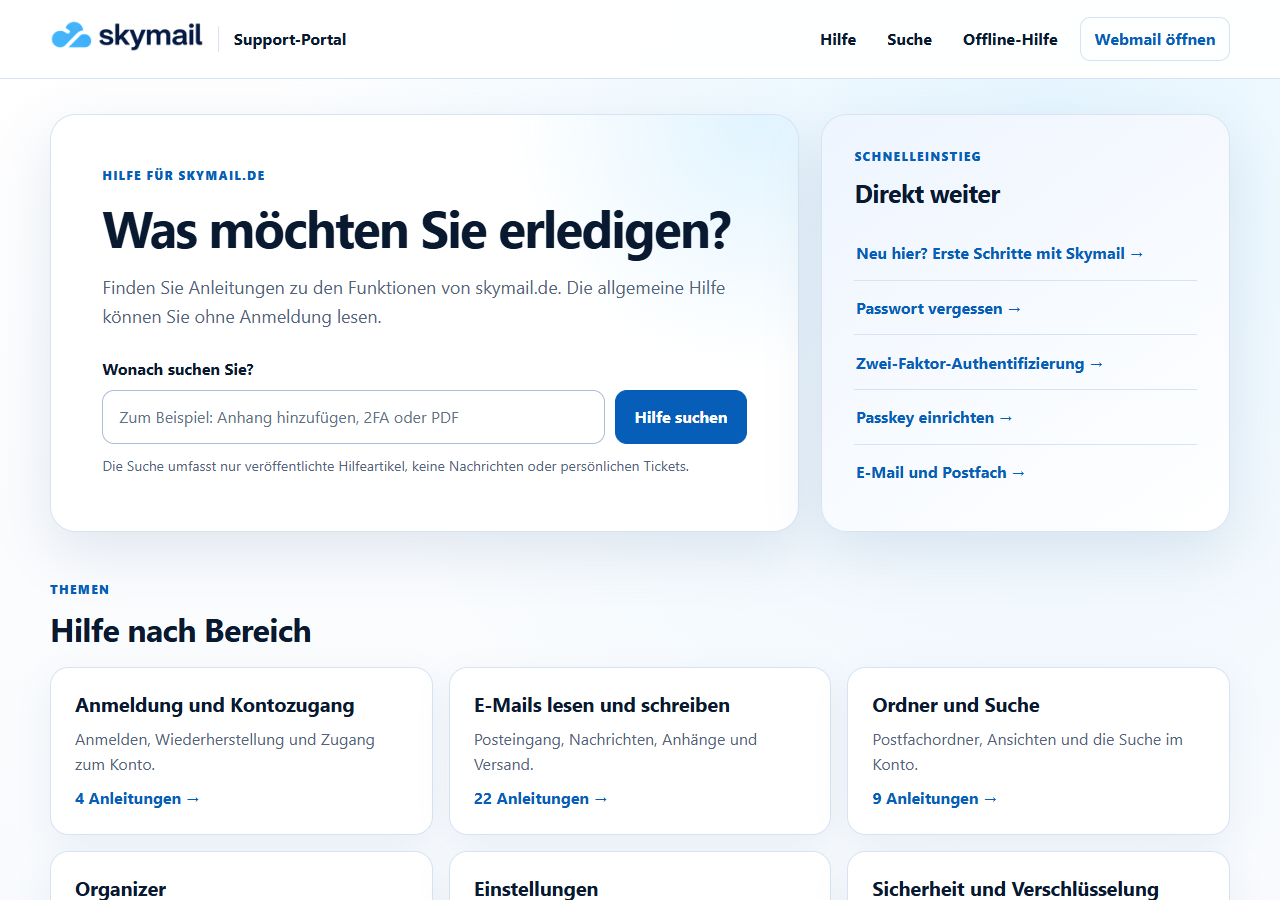
Use “Help by area” to go to the published topics. -
Select a topic under “Help by area”, for example “Organizer”. The topic list shows the guides published for it.
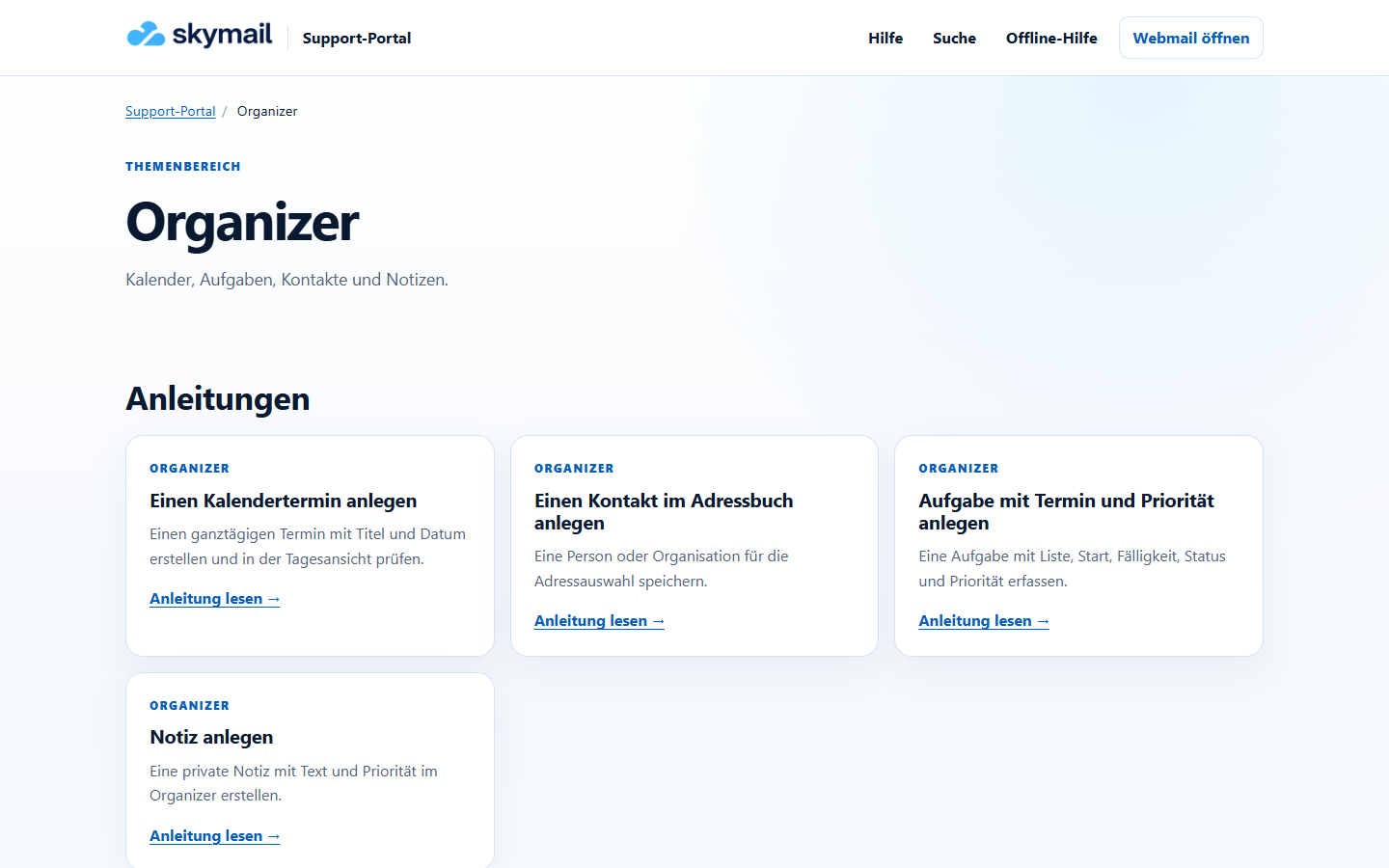
Open the desired Organizer guide from the topic list. -
Open a suitable article from the topic list using “Read guide” and follow the numbered steps.
-
Afterward, also read the notes on the visible result and possible difficulties, if those sections are present.
What you will see afterwards
The public article can be read without an account; personal mailbox and ticket data do not appear there.
Common problems
- A topic area only appears if at least one article has been published for it.
- If an article is missing, use search or the public contact form.
Go to the relevant section of the “Getting started with Skymail” guide