
Security and encryption
Sign an email with OpenPGP
Sign a new message using your own private OpenPGP key.
Requirement: After signing in, if OpenPGP signing is enabled for your user group and you have an active key of your own
Step by step
-
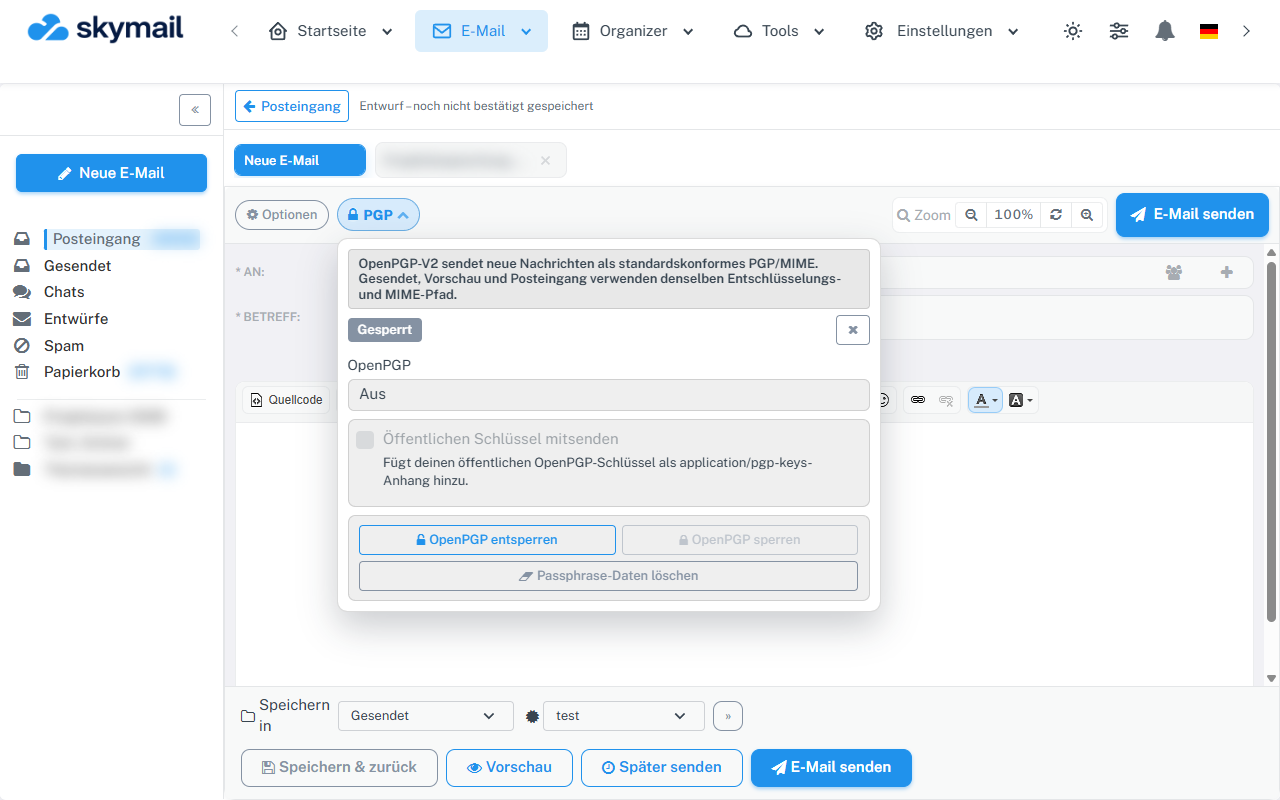
Use Email and New email to reach the PGP menu in the compose window. Click “Email” at the top, then “New email” on the left. Enter the recipient, subject, and message, then click “PGP” above the recipient fields.
-
Select “Sign” in the OpenPGP selection field. Do not enable an S/MIME or certificate option at the same time; sending blocks this combination.
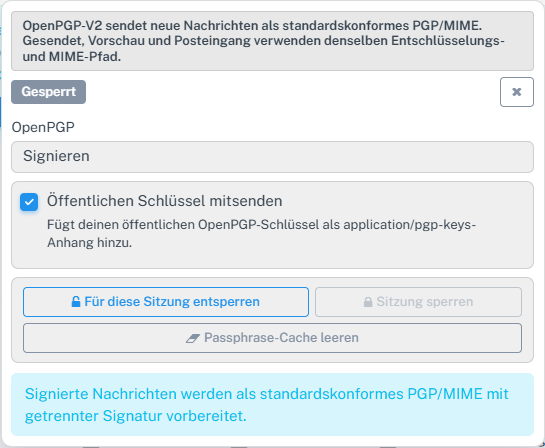
Select Sign mode in the compose window. -
If prompted, unlock the active sending key with its passphrase. Decide whether to attach your public key if needed.
-
Check the recipient and content, then select “Send”. The browser prepares the OpenPGP signature; check the sent entry afterward.
What you will see afterwards
In “Sent”, you can open the saved message and check the “Valid signature” status. This indicates the signature of the stored copy, not delivery to the recipient. Signing alone does not encrypt the content.
Common problems
- If an active private key or signing permission is missing, the mode is rejected.
- An incorrect passphrase prevents the signing key from being unlocked.
- An S/MIME option must not be active at the same time as an OpenPGP mode.
Go to the relevant section of the “Getting started with Skymail” guide