
PDF tools
Add a PDF watermark
Use a second PDF file as the background of the main PDF.
Requirement: Publicly accessible without signing in at /en/pdf-tools and the respective tool page
Open the relevant PDF tool
Step by step
-
On the skymail.de home page, scroll to the footer. Under “Support”, click “PDF Tools” (see screenshot). In the PDF overview, select “Add watermark”.

Scroll to the bottom of the SkyMail home page and click “PDF Tools” under “Support” in the footer. -
In “Main PDF”, select the document to edit, up to 20 MB.
-
In “Watermark PDF”, select a second PDF file up to 10 MB.
-
Click “Apply watermark”, download the result and check visibility and page order.
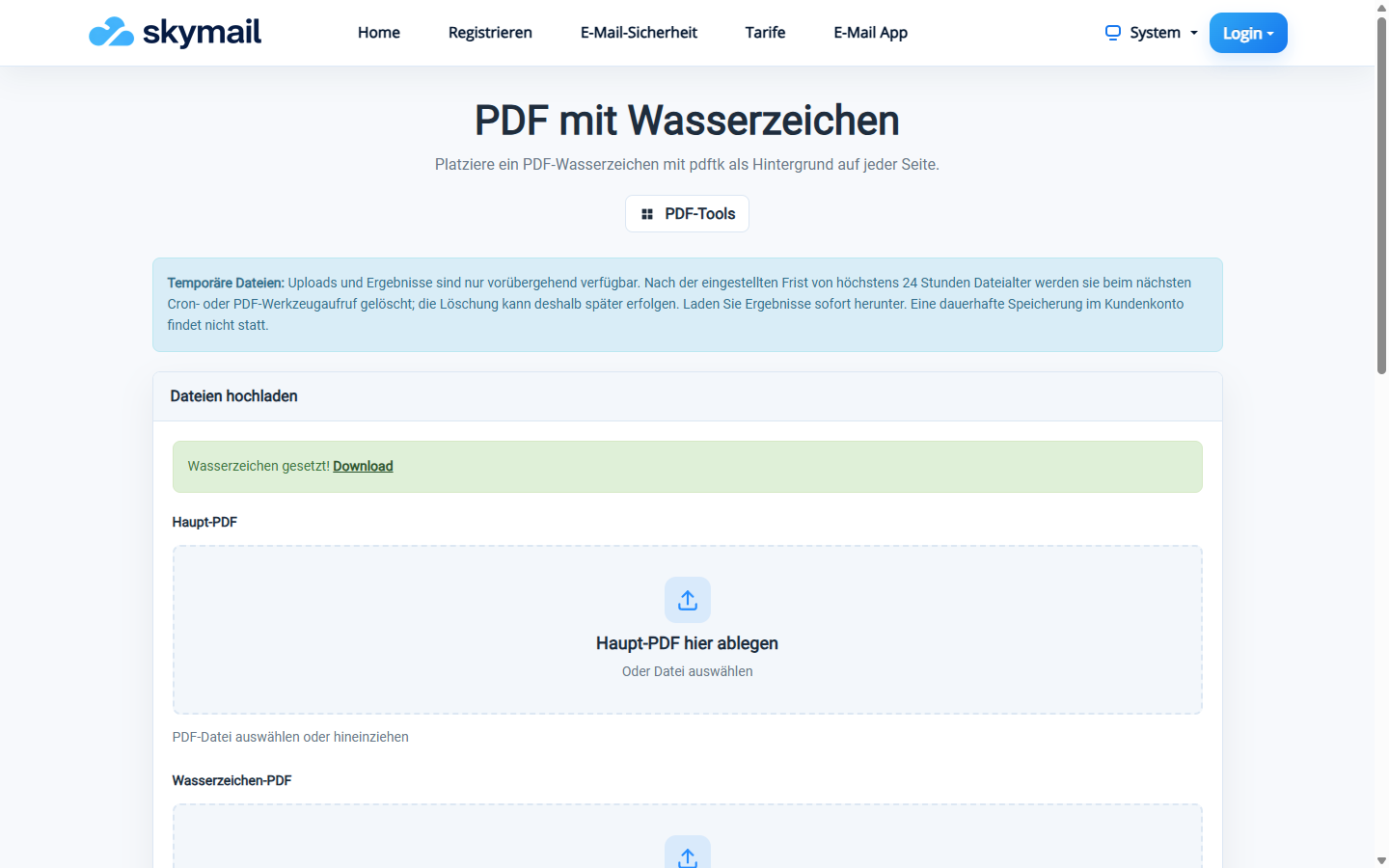
The selected watermark PDF was applied as the background of the main PDF.
What you will see afterwards
The second PDF is applied as the background of the main PDF’s pages. The form does not create freely positioned watermark text.
Common problems
- Both inputs must be PDF files; an image file cannot be selected as the watermark.
- A main file larger than 20 MB or a watermark file larger than 10 MB is rejected.
- If opaque pages hide the watermark, check the design of the watermark PDF.