
PDF tools
Insert a visible signature note in a PDF
Place a name, reason and date visibly on the last PDF page.
Requirement: Publicly accessible without signing in at /en/pdf-tools and the respective tool page
Open the relevant PDF tool
Step by step
-
On the skymail.de home page, scroll to the footer. Under “Support”, click “PDF Tools” (see screenshot). In the PDF overview, select “Sign PDFs”.
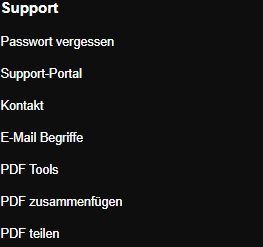
Scroll to the bottom of the SkyMail home page and click “PDF Tools” under “Support” in the footer. -
Select a valid PDF file up to 20 MB.
-
Enter a name in “Name in note”. “Reason” is optional.
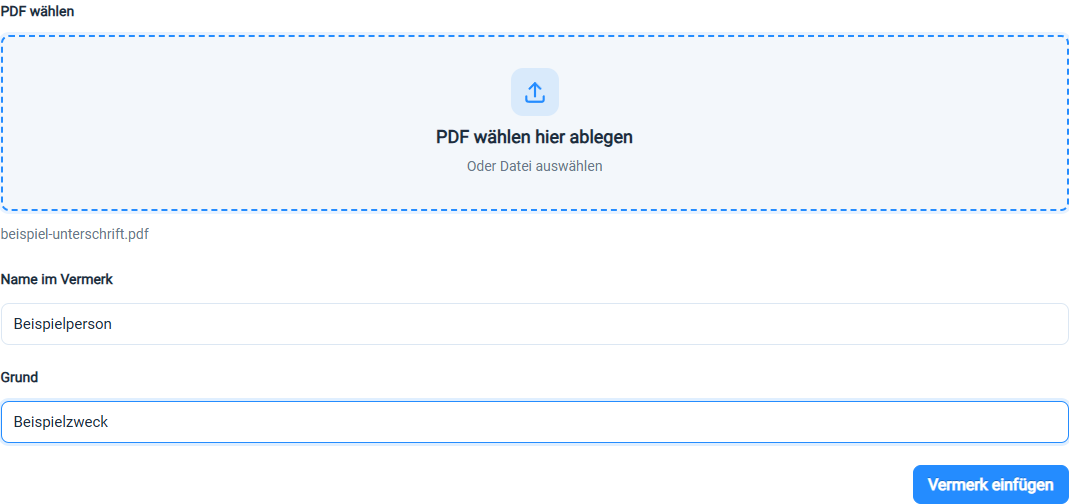
Enter a name and, if needed, a reason for the visible note. -
Click “Insert note”. The success banner “Visible note inserted!” offers the download; the form beneath is cleared for a new run. Download the result file and inspect the note on the last page.

After insertion, the page offers the PDF containing the visible note to download.
What you will see afterwards
A visible note containing the name, reason and date appears at the bottom left of the last page. It is not a cryptographic PDF signature with a certificate and does not replace a verifiable digital signature.
Common problems
- An error appears if no name is entered.
- A protected or unreadable PDF may be rejected during processing.
- The box is positioned at the bottom left and cannot be freely moved in the form; check whether it covers content.