
Read and write emails
Select a contact as a recipient
Add a saved address book contact to the “To” field.
Requirement: A signed-in account with at least one saved contact.
Step by step
-
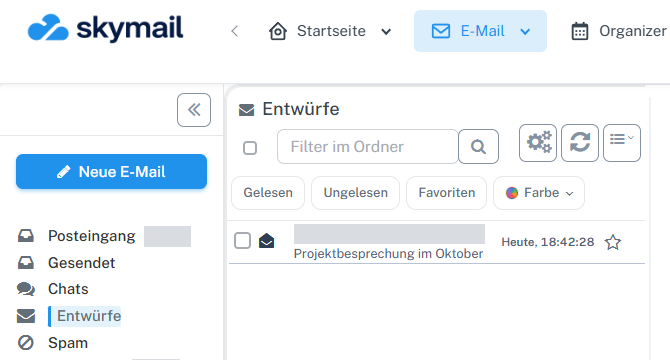
Click “Email” at the top and “New email” with the pen icon on the left. Click “Email” in the header and “New email” with the pen icon on the left. Alternatively, open a saved message of your own under “Drafts”. Go to “To”.
-
Select the “Open address book: select contacts or contact groups” button beside the recipient field.
-
Select a contact in the address book, assign it using “To”, and confirm with “OK”. Close the selection window.
-
Check the inserted address in “To”. It remains in the draft after “Save & return”.
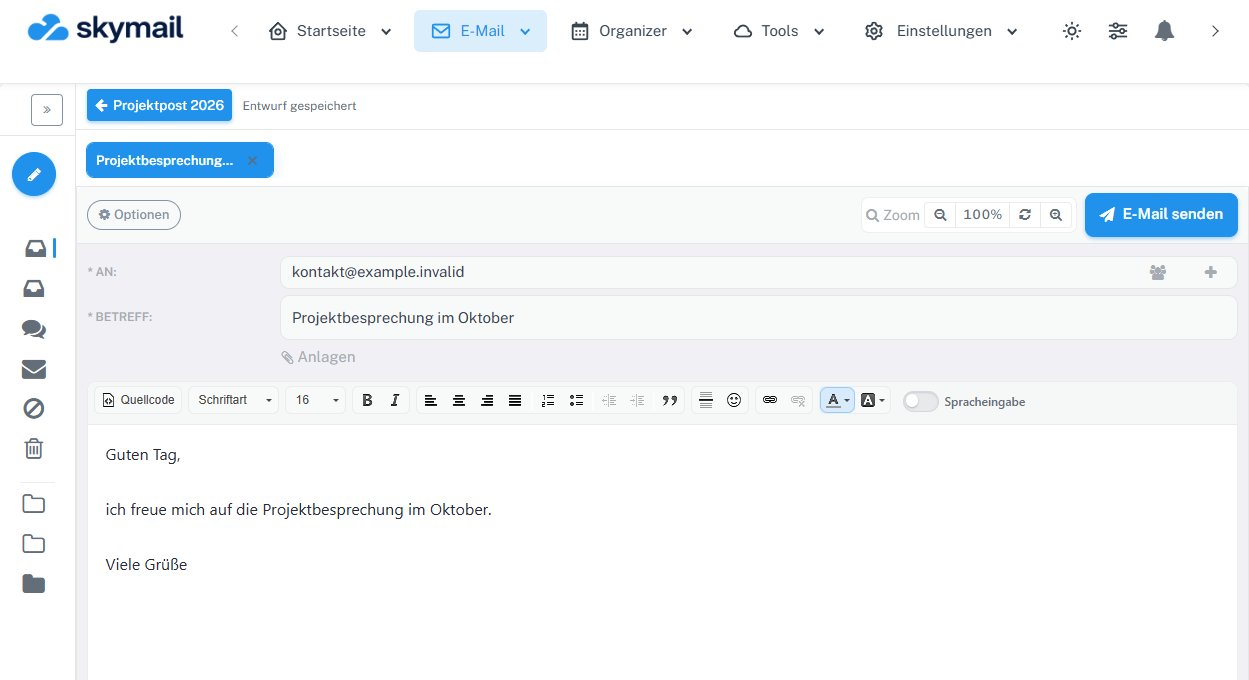
The address book icon is on the right of the To field. The saved recipient is visible beside it.
What you will see afterwards
The selected contact is a recipient in the message draft and is retained after saving.
Common problems
- If a contact is missing, check their address book entry and the selection in the window.
- For a contact group, check particularly carefully which addresses are selected before adding them.
Go to the relevant section of the “Getting started with Skymail” guide