
Read and write emails
Show CC, BCC, and reply-to address
Use additional address fields in the compose form.
Requirement: You must be signed in with the compose form open.
Step by step
-
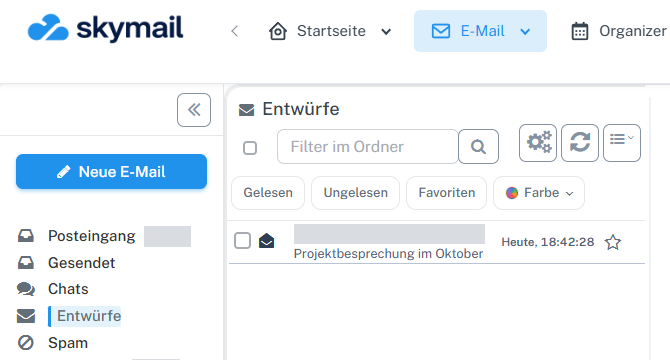
Click “Email” at the top and “New email” with the pen icon on the left. Click “Email” in the header and “New email” with the pen icon on the left.
-
Beside “To”, select “Show CC, BCC, and reply-to”.
-
Enter additional visible recipients in “Copy (CC)” and hidden recipients in “Blind copy (BCC)”.

Fill in additional address fields in the compose form. -
If replies should go to a different address, fill in “Reply to”. Check the details in “Preview” and again in the draft after “Save & return”.
What you will see afterwards
CC, BCC, and reply-to are set in the draft and are present again after saving.
Common problems
- CC addresses are visible to other recipients; BCC addresses are not.
- An incorrect reply-to address can misdirect replies.
Go to the relevant section of the “Getting started with Skymail” guide