
Security and encryption
Back up generated OpenPGP keys and the revocation certificate
Back up the private key, public key, and revocation certificate separately immediately after generation.
Requirement: After signing in, immediately after OpenPGP key generation in “My key”
Step by step
-
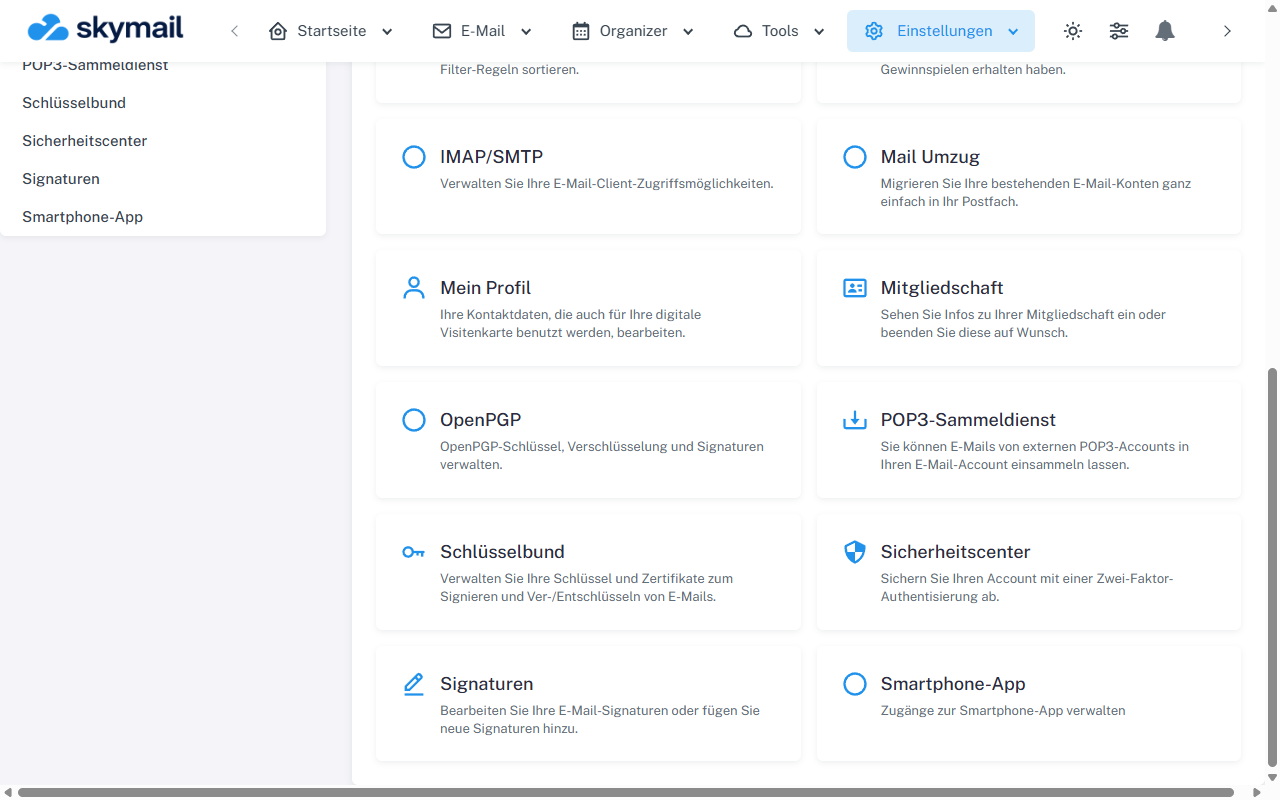
Open Settings at the top and select OpenPGP in the overview. Click “Settings” at the top, “OpenPGP” in the overview, then “My key”. Generate a key pair. Wait until the result area with the fingerprint and three download buttons is visible.
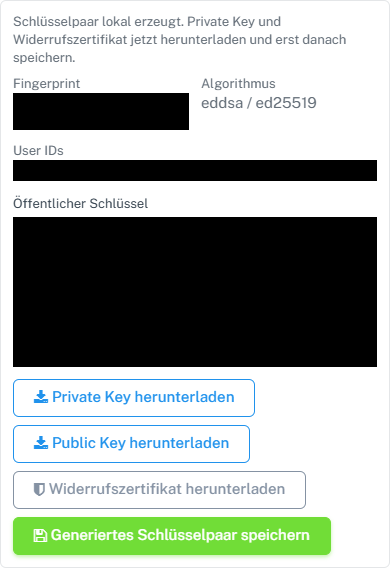
Download the three files immediately after generation; the gray revocation certificate button is clickable. -
Select “Download private key”. Store the file securely and keep the passphrase separately. Never share the private key.
-
Select “Download public key”. You may share this file with people you communicate with.
-
Select the gray but clickable “Download revocation certificate” button. Store the file separately from the private key. Check that all three files are present before leaving the result area or saving the generated key.
What you will see afterwards
You now have a private key backup, a shareable public key, and the revocation certificate. The download buttons refer to the key pair just generated in the browser.
Common problems
- If a file is missing, stay in the result area and repeat that download. After navigating away, the generation result held only in the browser may no longer be available.
- Do not save private keys or revocation certificates in a public folder or include them in a help screenshot.
- A lost private key or passphrase cannot be replaced by the public key.
Go to the relevant section of the “Getting started with Skymail” guide