
Organizer
Create a calendar event
Add an all-day event and find it again on the selected date.
Requirement: After signing in, go to Organizer → Calendar.
Step by step
-
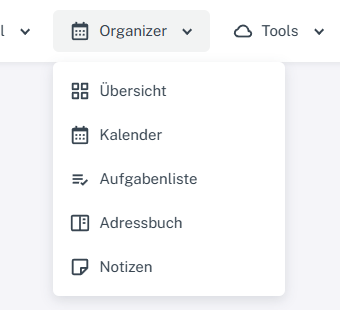
Click “Organizer” at the top and select Calendar, Task list, Address book, or Notes. Click “Organizer” in the header and select “Calendar”. Click “Add event” in the calendar toolbar.
-
Enter a title. You can add a location and description if needed.
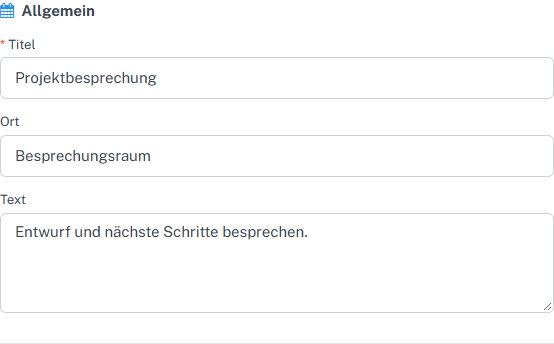
Enter the title and, optionally, the location and description for the event. -
Select the date under “Start”, enable “All day”, and check the end date under “Last day”.
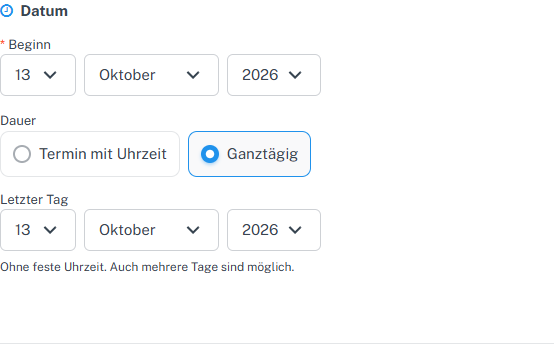
For an all-day event, check the start date and last day. -
Check the remaining details. If you do not want a reminder, disable the reminder methods offered.
-
Select “Save” and open the “Day” view for that date. The event appears in the “All day” row.

The saved event appears under All day in the day view.
What you will see afterwards
The saved all-day event appears under “All day” in the day view.
Common problems
- An event without a title or with an invalid date range cannot be saved.
- For all-day events, check the end date particularly carefully.
- If the event is not visible, check the selected date and calendar view.