
More tools
Start or reply to a chat
Exchange a chat message with a selected contact.
Requirement: A signed-in account with chat enabled and a suitable contact.
Step by step
-
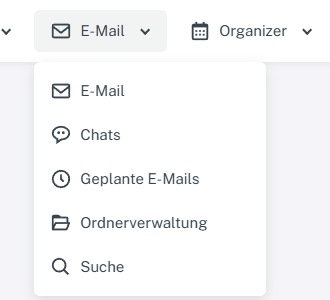
Click “Email” at the top; open “Chats” or “Folder management” in the menu. Click “Email” at the top and select “Chats”. Choose an existing conversation on the left or the plus sign beside chat search to “Start chat”.
-
For a new chat, select “Contacts” and find the contact you want. Check the selected contact before writing.
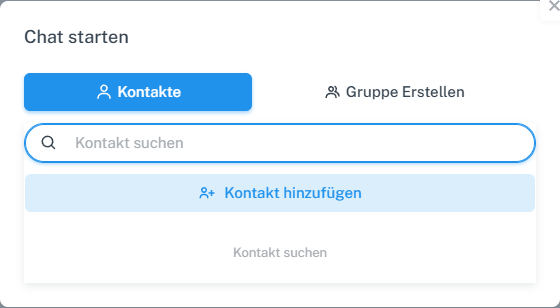
Select a contact in the “Start chat” dialog. -
Write the message in the input field at the bottom of the conversation.

Write the chat message in the input field at the bottom. -
Check the selected contact and your message, then select “Send”. The text then appears in the chat history.
What you will see afterwards
The interface shows the sent message in the selected conversation. Its appearance in your own history alone does not confirm delivery to another account.
Common problems
- If a contact does not appear, search for them in the start chat dialog or add them to the address book.
- Group chats have a separate tab and a separate process.
Go to the relevant section of the “Getting started with Skymail” guide