
PDF tools
Open the PDF tools overview
Choose the right tool for your task from twenty PDF tools.
Requirement: Publicly accessible without signing in at “/en/pdf-tools”; individual tools have their own requirements.
Open the relevant PDF tool
Step by step
-
Open skymail.de and scroll to the very bottom of the home page. In the footer under “Support”, click “PDF Tools”; the screenshot shows the link. The overview is accessible without signing in.
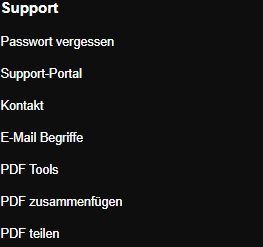
Scroll to the bottom of the SkyMail home page and click “PDF Tools” under “Support” in the footer. -
Read the temporary-files notice and compare the tool cards. Visible examples include “Combine PDFs”, “Separate pages” and “Compress PDFs”; more cards appear below.
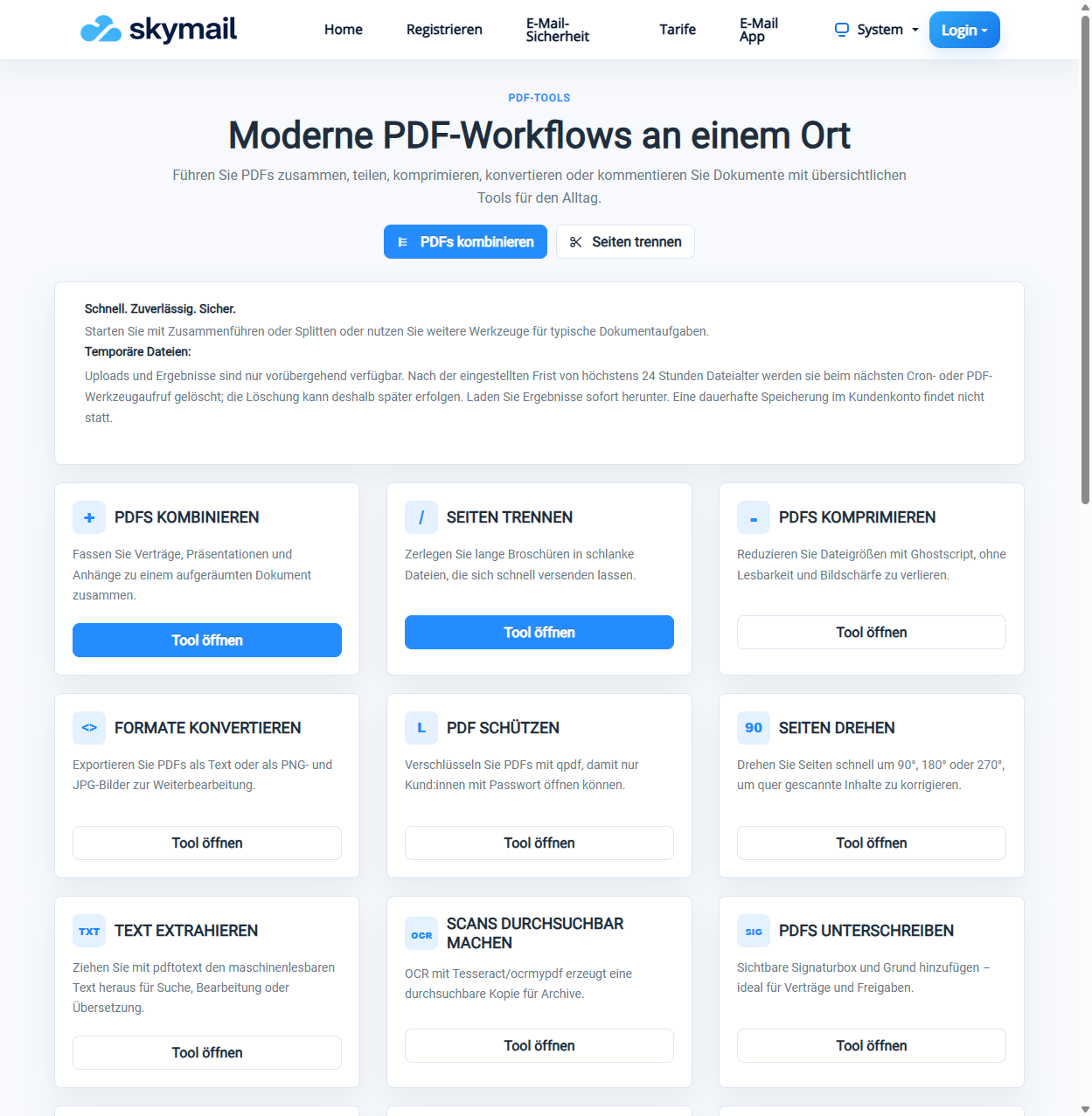
The overview shows the temporary file availability notice and the PDF tools’ start buttons. -
Select “Open tool” on the appropriate card. For example, the “Combine PDFs” card opens the “Merge PDFs” form.
-
Uploads and results are available only temporarily. Download any result you need promptly; the notice states that permanent storage in the customer account is not provided.
What you will see afterwards
The overview shows twenty tool cards. A selected file is processed only after you open a tool and perform an action there.
Common problems
- If the selected card does not suit your task, return to the overview and choose another tool.
- Uploaded files and results are available only temporarily; automatic deletion may occur somewhat after the retention period expires. Download required results promptly.